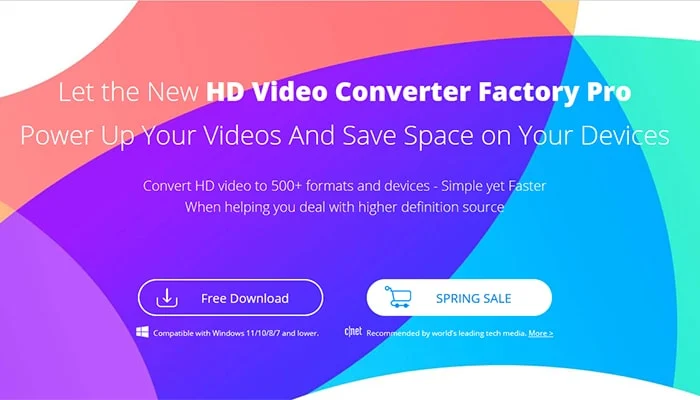
The web is flooded with millions of videos you want to watch and save to your computer for you to watch later. However, directly downloading videos from websites and converting your favorite videos to the desired format is not easy.
Therefore, WonderFox HD Video Converter Factory Pro came into being in response to this problem.
![Free WonderFox HD Video Converter Factory Pro Giveaway [Official] 2026](https://blogger.googleusercontent.com/img/b/R29vZ2xl/AVvXsEj1o1ewl3Zq0mEHwb7o1MmleZF60EWWkES1EZ60CtOvTTMz_aCnDRQupEgOIRSsdaiTfKNqRvAj5KNx-8yBuRR82Nuze1w-yzfXRmrvcQpBitFZGsjSgoYGm_cnDVv_tEIvVvfyUCxS-JDx3YVJCt4Bt3mw9gkfLW3ybARgYFe-e9JY3e8ufpSRNDitqg/s700/WonderFox-HD-Video-Converter-Factory-Pro-Review-min.jpg "Free WonderFox HD Video Converter Factory Pro Giveaway [Official] 2026") |
| Free WonderFox HD Video Converter Factory Pro Giveaway [Official] 2026 |
WonderFox HD Video Converter Factory Pro:
WonderFox HD Video Converter Factory Pro is one of the best video converters with many interesting features like converting YouTube videos to MP4, downloading videos, recording screens, editing videos, creating GIFs, and more.
In this article, we will carefully discuss the main features of this software.
Key features of WonderFox HD Video Converter Factory Pro:
These features played an intuitive and important role in the popularity of the software among users around the world.
To understand how this video converter works, let's move on to its features.
Convert videos to 500+ output formats and devices:
It supports over 500 output formats and devices, allowing you to convert video files to the most popular formats, such as WMV to MPG, AVI to MP4, MKV to MOV, etc.
If you are unfamiliar with video formats, to ensure that your video is supported and playable on your preferred device, you can also directly select the output device, such as tablets, phones, desktops, laptops, handsets, TVs, and much more.
As for audio files, it supports MP3, WAV, DTS, AAC, AC3, MKA, FLAC, ALAC, etc.
 |
| How to use WonderFox HD Video Converter Factory Pro to convert video files?: eAskme |
Save content from 1000+ websites with one click:
WonderFox HD Video Converter Factory Pro is embedded with a built-in video downloader that allows you to save videos from over 1000 websites such as YouTube, Hulu, Vimeo, Liveleak, Dailymotion, Facebook, Twitter, etc. So, you can watch offline when you don't have an internet connection.
Basic video editor:
WonderFox HD Video Converter Factory Pro also includes video editing features that enable you to modify the basic elements of the video.
You can easily trim, merge, crop, and rotate videos. Filters and effects can be added to make your videos look more captivating.
More features of WonderFox HD Video Converter Factory Pro:
- Record the screen with sound.
- Convert SD video to HD video.
- Add subtitles to videos.
- Extract audio from videos.
- Convert videos and pictures into GIFs.
- Batch convert video files, up to 10 at a time.
- Powered by hardware acceleration technology to process your video files at lightning speed.
How to use WonderFox HD Video Converter Factory Pro to convert video files?
It is a user-friendly conversion program with an intuitive interface; you can easily use it by following the steps below.
Step 1: Enter "Converter" from the main interface and add video files to the program.
After starting the program, enter the main interface; there are 5 tabs to choose from, and select the corresponding tab according to your needs.
Step 2: Choose a suitable output format.
Click the "Output Format" panel to see more than 500 output formats, as said above, and select the one you need.
Step 3: Start converting video formats.
This is the last step; click the "Run" button at the bottom of the interface to start the conversion.
Pros:
- Multiple gadgets in one.
- Equipped with multi-language interface, English, Japanese, French, etc.
- Fastest speed and best output quality.
Cons:
- No Mac version.
Conclusion:
Its functionality clearly shows that WonderFox HD Video Converter Factory Pro is not an ordinary tool.
It knows how to take advantage of the device's hardware and software capabilities, fast downloads, and batch conversions.
Therefore, if you are a creator and have a hobby of the best videos for your phone, you should choose it without hesitation.
If you still have doubts, we recommend you try its free version. But keep in mind that the free version has certain limitations.
If you still have any question, do share via comments.
Share it with your friends and family.
Don't forget to join the eAskme newsletter to stay tuned with us.
Other handpicked guides for you;