Showing posts with label Android App. Show all posts

2026/05/13

Google Fitbit Air: Screenless, and Minimalist Fitness Tracker

Google launched the Fitbit Air at a price of $99. It is a screenless fitness tracking wristband that requires a $9.99/month subscription to the Google Health App.

It offers 24/7 screen monitoring with 7 days of battery life. Google Fitbit Air tracks your heart rate, SpO2, HRV, and sleep.

You can preorder the Google Fitbit Air in the U.S. It comes with a 3-month trial of Google Health Premium.

Here is everything you must know about Google Fitbit Air.

Google Fitbit Air: Screenless, and Minimalist Fitness Tracker: eAskme

Other people are reading: Inside Modern AI Powered Contact Centers: Monitoring Performance in Real Time

Google Fitbit Air:

On 7 May 2026, Google Fitbit Air launched in the U.S. It cost $99.

It is the smallest fitness tracker that is screen-less. It is Google’s answer to Whoop 5.0.

Google Fitbit Air works as a proactive wellness partner that works on high-fidelity sensor technology. It tracks your health 24/7. It provides heart rate monitoring with Afib alerts, resting heart rate, and blood oxygen.

Screenless:

Google Fitbit Air is a minimalist screenless device. It gives you freedom from notifications. You get time to explore insights from the Google Health App.

You can check notifications on your phone.

Battery life:

It comes with a 7-day battery life.

You can easily track your days and nights without worrying about charging every day. It has a comfortable, lightweight profile. It silently tracks your sleep patterns.

Compatible:

Google Fitbit Air is compatible with most Android and iOS phones. It runs on Android 11 or higher. On Apple, it runs on iOS 16.4 or higher.

You need a Google account and the Google Health App to access the app features.

Not for Medical Purposes:

Google made it clear that Fitbit Air is not suitable for medical purposes.

The accuracy of health rate tracking devices is affected by movements, location, and psychology.

Google Fitbit Air Seamless Tracking:

In January 2021, Google purchased Fitbit for $2.1 billion. It has rebranded it as Google Fitbit.

The new Fitbit Air device is available with the Google Health App to make tracking seamless. You can get guided coach recommendations for a workout.

You can even use Fitbit Air to detect and track common activities.

It automatically detects and personalizes according to your routine.

Fitbit Air also gives you the option to manually add workout time.

You can use Google Health Coach to snap photos of your cardio equipment and circuit training at the gym.

To access the Google Health App, you need to pay $9.99/month.

Google Fitbit Air Band Styles:

Google Fitbit Air comes in multiple styles to suit your mood or occasion.

Here are the popular Fitbit Air Styles:

Performance Loop Band:

This band is made of recycled materials. It is breathable, flexible, and micro-adjustable. You can get it in a standard Fitbit Air box in different shades.

Active Band:

This band is waterproof and wetproof. It is made of silicon. It is recommended for high-intensity training. Sporty design and colors match the mood.

Elevated Modern Band:

It is a distinctly and discreetly stylish band. It turns your Fitbit device from a fitness tracker to a fashionable bracelet. It is available in selected colors.

Fitbit Air Special Edition with Stephne Curry:

Google designed a special edition performance loop band with Stephen Curry. It comes on a game day, orange and rye brown color. It is designed to attract users on and off the court.

It comes with athletic stripes and a water-resistant coating.

Google Fitbit Air Availability and cost:

Fitbit Air is available in the U.S.

Google Fitbit Air is available for pre-order for $99.99. It comes with a 3-month free Google Health App trial.

Google Fitbit Air Special Edition costs $129.99. Accessory bands are available for $34.99.

Fitbit Air vs. Whoop 5.0:

Fitbit Air is Google’s answer to its costly alternative, Whoop 5.0.

Here are the similarities and differences between Fitbit Air and Whoop 5.0:

  • Screen: Neither device has a screen.
  • Compatibility: Both devices are compatible with Android and iOS.
  • Heart Rate Monitor: Both devices support heart rate monitoring.
  • Sleep tracker: Both devices have a sleep tracker.
  • Battery Life: Google Fitbit Air’s battery life is 7 days, while Whoop 5.0’s battery life is 14 days.
  • Price: It make a big difference. Fitbit Air costs $99. Whoop 5.0 costs $239 per year.

Conclusion:

Google Fitbit Air is the most affordable choice for people who need a fitness tracker. It costs less than Whoop 5.0 and still offers better features. 

To use Fitbit Air, you also need a Google Health App premium subscription.

FAQs:

What is Fitbit Air?

It is a smart fitness tracking device. It is a screenless device.

What is the alternative to the Fitbit Air?

Whoop 5.0 is the best yet costly alternative to Fitbit Air.

Who should use Fitbit Air?

Fitbit Air is for everyone. If you want to track your fitness, such as heart rate, blood oxygen, and sleep patterns, then the Fitbit Air is for you.

Can I Use Fitbit Air for Medical Purposes?

No. Fitness device data is not 100% reliable. It is subject to your movements, condition, placement, and other activities. It is best to use it for personal tracking purposes.

Other helpful articles:

Read More

2026/02/28

Snaptroid: Is it Real? How does it work?

Snaptroid is an online app available with the promise to unlock private Snapchat stories. It is popular on TikTok. The Snaptroid video ads on TikTok collected millions of views. It made every user curious about the features and benefits of the Snaptroid app.

To offer more features, Snaptroid also released updates like Snaptroid 2.0 and Snaptroid 3.0. Both are different app versions with similar features.

Depending on the device you are using, you can install the Snaptroid 2.0 or the Snaptroid 3.0 app.

While Snaptroid has made a big promise that it unlocks private Snapchat profiles, it must be understood that such apps often run scams. Keeping that thing in mind, we have decided to test the Snaptroid app to find out what its capabilities are.

At eAskme, our goal is to test the applications and software before revealing information about them. To ensure that we appointed a team member to install and test the features.

This test has helped us to answer questions like whether Snaptroid is safe. How does Snaptroid work?

What are the benefits and limitations?

Snaptroid: Is it Real? How does it work?: eAskme

Other people are reading: App Development for Startups with Garage2Global

Snaptroid:

Snaptroid is a freemium application that offer feature to help you unlock the potential of Snapchat.

It promises that users get extra features, such as viewing private Snapchat accounts. While this claim sounds appealing, it is necessary to understand the functionality.

According to the Snaptroid website, it unlocks Snapchat information like:

  • Best Friends list
  • My Eyes-Only section
  • Snap Score
  • Message logs and chat history

Snaptroid website seems use friendly. It uses SSL and snapchats-like design to attract users.

Snaptroid released two versions:

Snaptriod's latest versions are available on the-snaptroid.com and snaptroid.cc.

Snaptroid 2.0:

It is a free version of the Snaptroid application.

You can use it from the official website to download apps, complete surveys, and share on social media.

It provides access to best friend lists, My Eyes-only list, chats, and snap score. It promises encrypted data protection.

Snaptroid 3.0:

It is accessible at the official website.

You can use it to access Snapchat information such as best friends, My Eyes-only list, chat history and snap score.

You may need to complete the survey before downloading the app. It also boasts of using user protection policies.

How to Access Snaptroid:

Snaptroid app is only accessible on smartphones.

You can access it on Android and iOS through applications.

To access Snaptroid features, you need to install and activate your account.

How to Setup Snaptroid Account:

  • Go to the Snaptroid website
  • Click on “Sign up”
  • Add your email address or use social login.
  • Use the phone number for verification.

How to View Snapchat Content using Snaptroid:

  • Go to Snaptroid.
  • Login.
  • Now add your Snapchat username in the “search” bar.
  • Choose “Private” data.
  • Wait for Snaptroid to access and deliver Snapchat user data.
  • Complete the “Human verification survey” to view the content.

Our Verdict:

I have tested Snaptroid to find out how it works, and it was nothing more than a marketing stunt.

Snaptroid promotes itself as a tool to download Snapchat Data and browse content anonymously. But it does not work that way.

I have tested Snaptroid multiple times to access my Snapchat account anonymously. I also used my Snapchat username.

But rather than giving me any data, it just gives the list of tasks to complete. These tasks include software downloads, surveys, and social media shares.

After completing it, return the result page with no result.

Snaptroid is a scam. It does not work but only promotes surveys and software downloads.

Here are the reasons why I believe Snaptroid is not authentic:

Unlimited Verification Loop:

Snaptroid created a verification loop that require user to complete multiple surveys and download software to visit the result page.

Even after completing everything, there is no guarantee that the result page displays any data.

Compromised Safety:

Installing smartphone apps from unreliable sources can compromise the safety of your smartphone.

The same applies to Snaptroid.

It is not available on official app stores like Google Play Store and Apple App Store.

Privacy Issues:

Snaptroid promises to deliver the Snapchat data of users anonymously, which is a privacy invasion.
Scam:

Snaptroid does not offer any legitimate features. Snaptroid 2.0 and Snaptroid 3.0 are the same apps with different versions.

Even the premium subscription only takes your money but does not provide any benefit.

Is Snaptroid Real?

Snaptroid Windows:

Snaptroid features work on windows such as accessing public Snapchat user information.

But it does not provide private details of Snapchat users. Sometimes the app crashes and fails to load.

It offers multiple versions, which do not work on every device.

Snaptroid Computer:

The Snaptroid app is not accessible on a computer.

You cannot install it without an emulator. During this process, Snaptroid can release viruses and malware.

Snaptroid Verification:

Snaptroid does not require user verification to sign up.

Yet it asks for verification every time you ask to unlock a user’s Snapchat data. It puts you in an endless loop of surveys and downloads.

Snaptroid Free vs. Premium:

  • Snaptroid free version: Snaptroid free version contain adds. It promises limited features but crashes a lot. It does not provide customer support.
  • Snaptroid Premium: The premium version charges a monthly subscription fee. It offers multiple filters and advanced features. It also offers customer support.

Why Snaptroid Uses Content Locking:

Snaptroid does not provide anything. It keeps the user in a dilemma that after completing surveys or downloads the user will get access to Snapchat content.

In the search for private user data, Snaptroid users spend hours completing surveys and downloading apps.

But, in reality, Snaptroid does not offer any solution. It does not work as an anonymous social media browsing app.

How Snaptroid Makes Money:

Snaptroid users’ actions to monetize its platform.

Here are the ways Snaptroid monetizes its platform:

  • App downloads: It asks users to download apps. Every time a user download app from the Snaptroid platform, it earns commission, which can be anywhere between $4 to $20/download.
  • SMS: Snaptroid also uses an SMS signup service to charge up to $30/month.
  • Surveys: When a Snapchat user completes a survey, Snaptroid earns commission.
  • Free Trials: Snaptroid also promotes free trial signups.

Why Snaptroid Does Not Work:

Snaptroid works against the Snapchat policies. Snapchat uses strong user protection that prevents online apps from stealing user data.

Here are the reasons why Snaptroid fails:

  • Snapchat Security: Snapchat's security policy prevents apps from anonymously browsing user data.
  • No-Authentication: Snaptroid does not ask for the user's password, which is a complete failure.
  • Vulnerabilities: Snaptroid is full of malware and vulnerabilities. Surveys and software downloads can spread malware.

How to Protect Yourself When Using Snaptroid:

If you have ever used Snaptroid or installed the Snaptroid app, then it is best to refresh your device. Use strong software to scan the system for virus activities.

Here are the steps that can protect you when testing Snaptroid:

  • Scan the app with an antivirus.
  • Uninstall suspicious apps.
  • Do not choose a subscription
  • Change passwords and do not share on Snaptroid.
  • Do not share financial details on Snaptroid.
  • Use unique passwords.
  • Do not use third-party apps to access Snapchat.

Conclusion:

Snaptroid is running a scam. It is not a legitimate app. It makes fake promises of unlocking private Snapchat data. At the same time, the Snaptroid app only forces users to complete surveys and download irrelevant apps.

Snaptroid 2.0 and Snaptroid 3.0 both work in the same way. It is better to avoid such apps and only use Snapchat to make friends and access friends' data.

Snaptroid FAQs:

What is Snaptroid?

Snaptroid is an online smartphone app. It promises that users get access to Snapchat data anonymously.

Does Snaptroid work?

No. It just lures the users with false promises.

Is Snaptroid Legit?

No. It makes false claims of unlocking Snapchat data for non-users.

Is Snaptroid a virus?

No. But its surveys and apps install may spread viruses.

Can Snaptroid Harm Your Device?

Yes. Installing and using third-party apps like Snaptroid can steal information from your device.

How to Protect Yourself from Snaptroid?

If you have ever used an app like Snaptroid, then take a backup of your data and reset your device.

Other helpful articles:
Read More

2024/06/27

Google Launched 5 New Features for Chrome Mobile Users

Google is launching new Chrome actions, an address bar redesign, shortcut suggestions, trending searches, and sports cards for mobile users. These new Chrome features are targeting mobile users and giving them more than they can do with mobile browsers.

Google Launching 5 New Features for Chrome Mobile Users: eAskme

Google’s product manager, Mich Kim Sexton, has announced the launch of 5 new features on June 26, 2024.

5 Google Chrome Features for Mobile Users:

Google’s new Chrome features are available for Android and iOS users. With these features, it is easy for a user to search on the Chrome browser.

But first, you must have Chrome browser on your smart device:

New Chrome Actions to Search Local Areas:

New Chrome actions make it easy to search for new places in the local area. From businesses to restaurants, you can search for anything with ease. Use calls, read reviews, and get directions.

Right now, only Android users can access Chrome Actions; soon, these features will launch on Chrome’s iOS app.

New Chrome Actions to Search Local Areas: eAskme

New Chrome Address Bar:

Google Chrome has updated and redesigned its address bar for tablets. It is available on both Android and iOS tablets. With the new address bar, you can quickly return to the last page of the website.

New Chrome Address Bar: eAskme


New Chrome Shortcuts:

Google Chrome’s new shortcut suggestions launched on iOS and Android devices. Now, you can customize the Chrome browser. It is easy to add what you are most searching for to make it appear quickly. Your most searched page will be displayed at the top of the suggestions.

New Chrome shortcut suggestions: eAskme

Trending Searches:

Trending searches are not new to Android devices. Now, this feature will also be launched on the iOS Chrome app.

You can find trending searches under recent searches in the Chrome address bar.

Chrome Trending Searches: eAskme

Sports Cards in Discover Feed:

Chrome users are most interested in live sports events. Chrome’s Discover feed will not display sports cards on a tab page.

This feature is available on both iOS and Android devices. All you need to do is follow a team or share your interest.

Sports Cards in Discover Feed: eAskme

Conclusion:

Google Chrome is adding more features to make it user-friendly. According to Statista, Chrome is the number one browser with a 63.6% market share. With new features, Google is targeting competitors' market share.

Share it with your friends and family.

Don't forget to join the eAskme newsletter to stay tuned with us.

You May Also Like These;

Read More

2024/03/19

5 Reasons Why Every Business Should be on TikTok

After starting as a lip-singing app, Tiktok now has grown as a fully-fledged short-video sharing app. It is giving a hard time to other social networks such as Twitter, Snapchat, and Instagram. TikTok has also launched Tiktok business ads. This is the time that we should talk about why businesses should also get on Tiktok.

5 Reasons Why Every Business Should be on TikTok: eAskme

Other people are reading: Top 10 Social Media Sites for Marketers

In 2019, the TikTok app downloaded more times than the Instagram app.

Massive user base:

With the 300 million+ active users, TikTok became the hottest platform to take your business on this network.

Most of these users are falling between 18-35 years.

Like many other social media networks, TikTok gone viral among youngsters.

The popularity of the TikTok has made everyone crazy. The MarketingCharts report says that more than 1 out of 8 people in the USA are using TikTok.

Right now, TikTok has more than 1.5 billion users worldwide. On TikTok, you can find students, homemakers, parents, teachers, dentists, grandparents, and dentists.

As a business, the very firth thing that you may need to know is that how you can find your target audience on TikTok.

How to find the target Audience on TikTok:

The easiest way to do it by visiting any TikTok video. Go to the comment section of that TikTok video and find out what type of people are engaging with that type of content.

Once you can determine the interest of your target audience on TikTok, you are ready for the next step.

Active Engagement:

TikTok is the network that allows users to experience the network even without joining it.

To catch user attention, your video needs to be impressive, in both audio and video sections. Here audio is more important than video.

When users are using TikTok, they are focusing more on videos according to their interests.

Get the focus:

Most of the time, businesses start advertising on a network or join a social network without the clear intention of what they want to achieve.

Without specific goals or targets in your mind, your business will waste resources on this network.

You should not create a TikTok account if you are not going to add value to the users' experience.

Tiktok is an entertainment app, so the only way to grab the attention of the users is by creating entertaining content.

Remember: One scroll is enough to ignore your business completely.

Capture attention:

Do you know how to present the content? If yes, then TikTok is for you.

In the TikTok app, only one content shows at a time, which ultimately saves the user from distraction.

Where Google ads charge you for impression, TikTok works differently.

On TikTok, each video or audio get the complete attention of the user.

Your content will get the focus of the user, and then the user will decide if he wants to watch it or ignore it.

Grabbing the attention of the user is not hard as an average user is spending more than 52 minutes on TikTok.

This means that each user watches more than 50 videos every day on TikTok.

Where other networks are charging pay-per-play, yet making it easy for the user to ignore the ads, TikTok works differently.

Quickly capture user attention:

TikTok guarantees full awareness of the user. Within a second user will decide if your content is right for him or not.

On TikTok, users are watching people doing lip signing, sharing stories, editing, filtering, dancing, etc.

You need to make sure that within the first second, you will display one of these things.

You are not the only one:

You are not the only one who is planning to advertise on TikTok. There are already many businesses on TikTok, such as NBA, Chipotle.

TikTok is the best place for those who want to target the young audience.

Brands like HP, Sephora, and Guess are already joining the TikTok party.

This shows a massive opportunity for marketers on this network.

What you should do:

There are two ways that you can do to reach the audience on TikTok;
  • Post like everyone else
  • Run paid campaigns.
You can place ads such as effects, takeovers, in-feed ads, and hashtags.

Get on TikTok:

TikTok is not just an educational or marketing app. It is a fun app where you can only get the benefits if you are adding fun to the lives of others.

Create TikTok:

Start creating TikTok videos according to the sound.

By watching videos on the TikTok, you will get the idea about the most popular sounds. You can also check their list of sounds.

After founding the sound, create the video, and you are on.

Final Words:

It is not difficult to get your brand or business on TikTok.

All you need to do is be entertaining.

2020 will be your Year of TikTok for business.

If you still have any question, do share via comments.
Share it with your friends and family.

Don't forget to join the eAskme newsletter to stay tuned with us.

Other Handpicked Social Media guides for you;
Read More

2022/10/26

Top 5 Augmented Reality Apps for iOS and Android

A while back, the thought of Augmented Reality apps used to sound futuristic, but today, the trend is fast becoming a reality. In fact, about 60% of shoppers now prefer online stores with an AR experience. In the same vein, studies have shown that over 40% of shoppers will spend more on items that they view through AR.

Top 5 Augmented Reality Apps for iOS and Android: eAskme

What is Augmented Reality?

Augmented Reality uses immersive technology to place 3D visuals or pictures into a real-life experience.

Thus, it will seem like virtual items co-exists with its user in the real world.

Augmented Reality has improved the shopping experience of many e-shoppers today.

Shoppers are no longer limited to only product pictures, but instead 360-degree images, and videos.

They can now view their items via AR technology before making a purchase.

For instance, you can virtually place that beautiful hat on your head to see if it fits perfectly before buying it.

Also, you can use Augmented Reality to project how a piece of furniture will look inside your living space or kitchen before buying.

Another industry that is blazing the trail when it comes to AR is the gaming world.

Game software developers have been able to create online games with a more realistic experience.

Such games engage all the gamers' senses, pushing them right into the action, where they'll take an active part as the main characters.

One particular genre in Asia that is in the early stages of AR is online casino games.

In the future, technology will have the power to propel people into a real-life casino, by just using their devices.

The technology is ideal in places where casinos are prohibited, like in Asia.

Nonetheless, live casinos are the latest popular trend in Asia because they're the closest thing to land-based ones.

Comparison sites have compiled all the best operators that offer this service in one place to help Asian players find the best operators that suit their needs.

Furthermore, the platform does not list operators only with the best game selection but also promotions where players can find the best casino bonuses, read information about them and how to claim them, and unbiased reviews to make an informed decision.

The 5 Best AR Mobile Apps:

1. Houzz:

Houzz is a home improvement AR app. It is one of the best apps for interior designs and layouts. Its functionality allows consumers to view and purchase items in-app.

With its "View in My Room" functionality, you can virtually place items into a picture of the consumer's room. It uses 3D AR technology to present the image as lifelike.

2. IKEA Place:

This mobile AR app also focuses on home furnishing/décor.

E-shoppers can put their items in their living spaces with no assembly needed.

Being a décor site, IKEA Place considers its users' home floor plan.

This helps the user know how perfect the furnishings are for the available space.

You can use its "drag and drop" feature to virtually arrange your items.

It also has an option that makes you see the product you want to buy in different colours when placed in your home.

3. YouCam Makeup:

Getting the makeup kit that perfectly matches your complexion may be arduous, especially if you are not allowed by the retailer to try out samples at the counter.

Even when you try out the samples, fluorescent lightning may play tricks on your eyes, giving you a false selfie-lighting impression.

However, YouCam allows shoppers to try out makeup products from different brands with Augmented Reality technology.

4. GIPHY World:

If GIPHY World were our real world, it would be more imaginative and colourful. The app perfectly blends AR with animated GIFs.

GIPHY World gives more personality to social media content, which underlines the fact that Augmented Reality and social media go hand in hand.

So, you can add animated elements and graphics to your product pictures to make them more appealing to your social media audience.

5. Google Lens:

Google Lens is created for Android phones only.

It enhances your search experience on Google.

Therefore, rather than type a text-based query, you can use the Google Lens app by aiming it at the object you want to know more about.

This app will identify that object and give you all the necessary information.

It will even save important numbers and stats about the object.

If you still have any question, feel free to ask me via comments.

If you find this article interesting, don’t forget to share it on Facebook, Twitter or Google Plus with your friends and family.

Don't forget to join the eAskme newsletter to stay tuned with us.

Other Handpicked Article for You:

Read More

2022/08/09

WhatsApp New Privacy Features: Leave Groups Silently, Screenshot Blocking, and more.

WhatsApp has announced new privacy features to ensure more privacy, protection, and control.

As of January 2024, 2 billion users are using WhatsApp every month.

WhatsApp is the biggest mobile messenger app with the maximum number of users. As the number of users grows, security and privacy become concerns.

WhatsApp New Privacy Features Leave Groups Silently, Screenshot Blocking, and more.: eAskme

WhatsApp is already encrypting user messages to ensure privacy.

Users can already send disappearing messages with self-destruct, take backups, and enable 2-step authentication for more security.

But now, they will offer more features to ensure privacy and security.

WhatsApp New Privacy Features:

Now, WhatsApp will make the platform more secure with new features.

The new WhatsApp Privacy features are:

  • Leave Groups Silently
  • Choose Who Can See You Are Online
  • Screenshot Blocking for View Once Messages

Here is what you should know about these updates.

Leave Groups Silently:

Leave group Silently is an exciting feature that I and many others will also like.

WhatsApp is making it possible for you to leave a group without leaving any messages or notifications.

Before this, when you were leaving a WhatsApp group, the message was displayed to all group members who had left the group.

Choose Who Can See When You Are Online:

Do you want to check your WhatsApp messages without telling anyone that you are online?

If yes, then this new feature will help you.

WhatsApp is a great place to connect with people, but sometimes you do not want to let them know you are online.

The new WhatsApp feature will allow you to keep your online presence private. You will select who can see and cannot see your online status when using WhatsApp.

Screenshot Blocking for View Once Messages:

View Once messages are already popular among WhatsApp users.

WhatsApp is now enabling you to block people from taking screenshots of your view once messages.

This is undoubtedly a critical privacy enhancer on WhatsApp. It gives you more control over handling what you have shared.

It is necessary to ensure private conversations on WhatsApp. WhatsApp also runs a campaign to educate people about the new feature updates. With this, more users will know how to use WhatsApp privacy and Control features.

Ami Vora, Head of Product at WhatsApp, has shared that the new WhatsApp campaign will kick off globally, starting with India and the UK.

The new WhatsApp privacy study shows that 47% of users feel comfortable with private messaging. Yet 72% of people want unfiltered messaging. 91% of people found blocking features important. 51% of WhatsApp users prefer to stay hidden when online.

WhatsApp has also tweeted about these features on its Twitter handle.

Conclusion:

Privacy is always important when you are going online. Whether you are working or using a social network or app like WhatsApp, keeping your messages safe and secure is always essential.

WhatsApp is known for keeping users' data secure.

With these new features, WhatsApp users will have more control, privacy, and security.

I am glad that WhatsApp is launching such privacy features.

What do you think?

Which WhatsApp feature do you like?

Still have any question, do share via comments.

Share it with your friends and family.

Don't forget to join the eAskme newsletter to stay tuned with us.

Other handpicked guides for you;

Read More

2022/06/20

How to Develop and Test a Minimum Viable Product App?

Eric Ries is accredited with creating the market's Minimum Viable Product or MVP thought methodology.

The concept is led by market individuals related to introducing a new product to the intended customers.

How to Develop And Test a Minimum Viable Product App?: eAskme

MVP app development hypothesizes whether the features proposed by the developers are welcomed by the user/customer too.

Creating the MVP app:

What are the uses of the MVP app?

The first step involves identifying the mismatch between the consumer's demand and the supplier. Market gaps are yet to be filled, whether a product or a service.

Therefore, the MVP app requires you to define the path. You will feel highly motivated once the genius idea surfaces.

However, there is the risk that the proposed idea is impractical or lacks demand in the market. Thus, we suggest using the MVP application to resolve existing issues.

You can opt for real-life solutions that the users or customers wish to be eliminated. It will help the MVP app establish its name in the market.

Who will use the MVP app?

After you have discovered its use, identify who will be using it.

Targeting every user and multiple age groups makes the company less focused on the business world.

You cannot impose the application use on everyone.

However, you can choose a specific category of users.

The concept is known as client segmentation based on gender or age group.

To appeal to the reader, define parameters such as

  • The level of earning
  • Family members
  • Life fears
  • Life goals and aims
  • Industry/ profession
  • Academic level
  • And age

Better understanding the potential user makes molding the MVP app to their use easier and fulfilling future expectations.

Decide on the features:

Innovative features will attract the users to the MVP app and encourage them to use it.

Therefore, the application must host unheard-of user-friendly features to make it stand out among the competitors.

However, the elements strongly correlate with the testing phase, which we will discuss later.

To prevent burdening the MVP application, think of the minimum it must feature to add value to the services offered.

Remember to not go overboard with the features, as that may confuse the user against the primary use of the MVP app.

If you want the MVP application to be successful, establish its use in the initial product development phase.

The proposed ideas or features must resolve existing challenges as in step 1.

Furthermore, the MVP must not ignore the smooth user experience through its value-addition features.

Build the app:

With the features decided, it is time to create the application.

The app does not need to be perfect. However, it needs to reach the user-end with minimum risk in the shortest time possible.

In other words, the customer must begin using the app as soon as possible.

The feedback will convey whether the MVP design is successful or not.

The phase is tricky as many consider it a waste of time and resources.

However, it indicates properly allotting resources, so the MVP app becomes successful by removing imperfections.

With bug reports, there is a greater opportunity for users to interact with the MVP and appreciate the application.

Testing the MVP app:

After you have employed the steps mentioned above in extensive detail, it is time to assess whether or not the MVP app is viable.

The feedback guides the MVP app's future, assessment, and next steps. Undoubtedly, you must consider customer feedback very seriously.

Crowdsourcing:

The concept of a crowdsourcing campaign is usually associated with collecting investment.

However, it is perfectly employable in MVP testing too.

At the beginning of such a campaign, the MVP developers will meet with the intended user to present their ideas using presentation and proven data.

If the users are attracted to the idea, they invest in it.

However, the argument must be convincing enough to appeal to the investors.

Since they are the supporters today, they will interact with the app as buyers tomorrow.

The investment will convey the MVP's potential success.

Use ad campaign:

An MVP app development ad campaign works similarly to social media or landing pages.

However, the results derived from ad campaigning are layered and extensive.

As a result, the developers can understand the intended buyer in great detail.

Once studied, the developers alter the MVP uses as the customer data is provided in real-time.

Furthermore, ad campaigns can be filtered on different criteria such as location, age, use group, and interests.

Resultantly, you can market the MVP differently to each segment. Afterward, analyze which measure was most responsive and go from there.

It will provide insight into which customers value the MVP app the most.

Customer feedback:

Of course, the most specific parameter to test the MVP app is customer interviews.

To receive unbiased feedback, begin asking the potential users open-ended questions.

You must not:

  • Limit their responses such as talking over them
  • Encourage brutally honest feedback

However, you must have the relevant experience to supervise such interviews for reliable results.

The interviewer can ask the potential users to list the features and drawbacks of the MVP app.

Moreover, they can ask for proposed features or solutions to enhance the user experience.

As a result, you can mold the MVP app to its cohesive final version.

Landing page:

Lastly, you cannot go wrong with landing pages to assess whether or not the MVP app will do well.

A landing page provides insight into the likes and dislikes of the target user.

Moreover, it will also help identify which age group and buyers are interested in using the application.

These two components are crucial for MVP app success.

Many entrepreneurs take landing pages lightly.

However, you are not one of them.

As a modern MVP app designer, upload different versions of the MVP page to receive customer insight.

Later, use Google Analytics to collect the traffic and interactive data and employ it for the MVP app gain.

Hire Altamira for MVP app assistance:

Altamira is a dedicated team of developers who intend to facilitate modern businesses and customers through web-related and mobile development solutions.

Altamira specializes in MVP creation and consultation with its cost-effective and dynamic approaches.

Still have any question, do share via comments.

Share it with your friends and family.

Don't forget to like us FB and join the eAskme newsletter to stay tuned with us.

Other handpicked guides for you;

Read More

2022/02/06

8 Best No Crop Apps for Instagram and Whatsapp 2026: Infographic

Best no Crop Apps for Instagram and WhatsApp you need always. If you are also looking for no crop apps for WhatsApp and Instagram, then you are on the right page. There are many no crop apps available online. But, do you know that ho many apps do no crop job efficiently. If you are regular Instagram or WhatsApp user, then you know how important it is to create perfect photos for Instagram. That is where you need no crop Instagram app or no crop app for WhatsApp.

Social Media Demographics for 2026: Your Definitive Guide: eAskme
 
Other people are reading: Instagram Introduces Type Mode for Text-Based Stories

Keeping that in mind I am going to share the best list of no crop apps for Instagram and Whatsapp. I have tried many apps and found some of the best no crop apps for you to use.

If you are selfie addict, then you are the Instagram addict. Instagram is one of the most popular photo-sharing apps. To make your pic look best on Instagram, you need no crop apps. In this post, I will outline the most effective no crop applications that you should use.

Why use no crop app for Instagram?

No crop apps help you to share full-size images without cropping them.

Without using no crop apps, you cannot share full-size images without cropping them. If you use cropping tools to post your picture, then it reduces the quality of your photos.

Become Successful Instagrammar

That is why no crop apps are the best to use.

Now it is the time to look at best no crop apps for Android smartphone.

Best Instagram No Crop Apps for Instagram and Whatsapp:

Here are the seven best no crop apps for Instagram and Whatsapp in 2026.
  • Instagrid Grids for Instagram

  • Insta Square Size – No Crop

  • Insta square snap pic collage

  • Insta Square Size Collage Maker

  • Insta Size Photo Editor

  • No Crop & Square for Instagram

  • Square InstaPic – Photo Editor

  • Square Quick Pro-No Crop Photo

Best no Crop Apps for Instagram Infographic:


Feel free to use this infographic

<script src="https://infograph.venngage.com/js/embed/v1/embed.js" data-vg-id="YKLV6ZZDJh4" data-title="Best No Crop Apps for Instagram" data-w="816" data-h="1700" data-multipage="true"></script>

Instagrid Grids for Instagram:

8 Best No Crop Apps for Instagram and Whatsapp 2024: eAskme: Instagrid Grids for Instagram: eAskme

Features Instagrid Grids for Instagram

  • Cut any picture into a grids

  • Create panorama for instagrids

  • Cool designs

  • Collage your favorite photos

  • Download from gallery

  • Upload easily

  • No Crop

  • Easy to use

  • Crop, Flip, Rotate, move and Zoom pictures
  • Multi Sizes generator: 3x3, 3x2, 3x1, 3x4, 3x5, 4x4

Insta Square Size – No Crop

Best No Crop Apps for Instagram and Whatsapp 2019: Insta Square Size – No Crop: eAskme

Features of Insta Square Size – No Crop

  • Makeup Photo Editor & Selfie Camera

  • Makeup Tools

  • Beauty Photo Editor

  • Beauty face Selfie

  • Eye Makeup Tools

  • Enhance Lips & Teeth

  • Beauty Camera

  • No Crop

  • Instant Photo Filters

  • Collage Maker

  • Mirror Images

  • Photo Editor Filters

  • Selfie Effects

  • Share Photos
No Crop Apps

Insta square snap pic collage

Best No Crop Apps for Instagram and Whatsapp 2019: Insta square snap pic collage: eAskme

 Features of Insta square snap pic collage

  • Drag & Drop

  • Zoom In & Zoom Out

  • Rotate and Round Corner.

  • No Crop

  • Social sharing

  • 30+ amazing filters, lens, overlays, artist, light
No Crop Apps

 Insta Square Size Collage Maker

Best No Crop Apps for Instagram and Whatsapp 2019:  Insta Square Size Collage Maker: eAskme

Features of Insta Square Size Collage Maker

  • Powerful size maker

  • Pip effects

  • Background effects Blur, solid, pattern

  • 20+ fantastic filters

  • No Crop

  • Funny stickers

  • Text on photo and snap

  • Round Corner

  • Drag & Drop

  • Zoom In & Zoom Out

  • Shadow 3d effects.
No Crop Apps

Insta Size Photo Editor

Best No Crop Apps for Instagram and Whatsapp 2019:  Insta Size Photo Editor: eAskme

Features of Insta Size Photo Editor

  • Free and Premium photo effects created

  • AVA Technology

  • Advanced editing tools

  • Collages and layouts

  • Crop photo

  • No Crop tool

  • Create and organize photo grid

  • Resize pictures

  • Multiple fonts

  • Share your pictures on social network
No Crop Apps

No Crop & Square for Instagram

Best No Crop Apps for Instagram and Whatsapp 2019: No Crop & Square for Instagram: eAskme

Features of No Crop & Square for Instagram

  • Post No Crop full sized photos

  • Rotate

  • Flip

  • Resize photos

  • Add templates

  • 200 free backgrounds

  • Use photos as background

  • 30 fliters

  • Tese add and resize

  • 400 free stickers

Square InstaPic – Photo Editor


Best No Crop Apps for Instagram and Whatsapp 2019: Square InstaPic – Photo Editor: eAskme

Features of Square InstaPic – Photo Editor

  • Add filters

  • Add text

  • Photo Grid maker

  • No Crop feature

  • Adjustments such as saturation, brightness, contrast etc.

  • Easy to use

  • Blurred background

  • Emoji stickers
No Crop Apps

Square Quick Pro - Photo Editor & Collage Maker

Best No Crop Apps for Instagram and Whatsapp 2019: Square Quick Pro - Photo Editor & Collage Maker: eAskme

Features of Square Quick Pro - Photo Editor & Collage Maker

  • Square features

  • Built in no crop for instagram

  • Collage maker

  • Color text

  • CornerTag stickers

  • Paint photo

  • Square photo editor

  • Pip photo

  • Quick share
No Crop Apps

Conclusion:

To learn more you can download these no crap apps for Instagram or Whatsapp from Google Play Store. I also use Instagram and I understand how important it is to upload full size images. It not just help in sharing the real story but also attract the users more than a cropped pic.
 
Things are quite easy not with no crop applications. There are still so many best no crap applications that will be joining this list in coming days.

You can download and choose the best no crap applications for your blog.

How to Acquire More Instagram Followers and Make Your Business Sustainable

Have you ever used no crop apps for Instagram? Which app you consider as the best no crop app?
 
Read More

2021/12/26

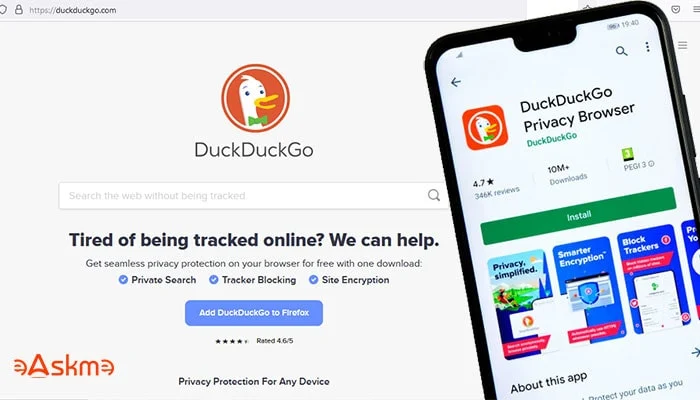
DuckDuckGo Desktop App

DuckDuckGo is working toward launching a desktop version of their mobile app for private browsing.

It is said that DuckDuckGo offers better privacy than Google Chrome.

DuckDuckGo’s Launching Desktop Version of Mobile App: eAskme

But DuckDuckGo has cleared that their browser is not a privacy browser.

DuckDuckGo browser is an everyday browser that you can use with better privacy.

But the final product is still in production, so that we will discuss the privacy later.

There is a difference between private browsing and privacy browsing.

According to DuckDuckGo, their web browser will be built with the focus to avoid unnecessary clutter and cruft.

You should know that the DuckDuckGo browser differs from their Google Chrome extension.

The DuckDuckGo app gives you maximum advantages that you will not enjoy in DuckDuckGo Chrome Extension.

What Should You Know About DuckDuckGo Desktop App?

DuckDuckGo Desktop App will have a simple and clean interface.

Users will see the Fire button on DuckDuckGo Desktop App.

Less clutter and more privacy.

DuckDuckGo Desktop App will be faster than Google Chrome.

DuckDuckGo is already testing its desktop app. Yet they have not announced the launch date.

If you do not know what DuckDuckGo is, here are some interesting facts:

  • 9% of Americans (27 million) are using DuckDuckGo.
  • DuckDuckGo receives 100 million searches daily.
  • DuckDuckGo is the most downloaded browsing app.
  • DuckDuckGo iOS app is the second most downloaded app on the iOS store.
  • DuckDuckGo has had more than 150 million downloads till now.

Conclusion:

DuckDuckGo is by far the most popular privacy-based search engine and browsing app.

So it is good to see how they will launch DuckDuckGo’s Desktop App and if people like the desktop version.

Stay tuned with us for more updates.

If you find this article interesting, don’t forget to share it with your friends and family.

Don't forget to join the eAskme newsletter to stay tuned with us.

You May Also Like These;

Read More

2021/10/15

26 Invaluable Social Media Marketing Apps for Excellent Results

Social media marketing apps are there to make your life easy. With the help of social media marketing apps, you can do everything from content creation to collaboration.

In the past 12 months, people have shaken hands with work from home culture. Employees are demanding remote work opportunities. It is the rise of mobile offices.

26 Invaluable Social Media Marketing Apps for Your Smartphone: eAskme


Social media marketers are also facing the same lifestyle. To make things work, a social media marketer needs tools that can manage his/her work efficiently.

There are more than a hundred social media marketing tools are available online. But, not all those tools are as effective as you want them to be.

You need efficient social media marketing apps to work like a pro. You can use such apps to manage your social media campaigns and create excellent content.

To help you, I am sharing the list of 25 social media marketing apps for smartphones.

Anchor.fm:

Anchor.fm is a podcast recording app. You can use it for Q&As, broadcasting audios, and micro-podcasting.

Anchor.fm allows you to create a podcast and let it share on various social media networks.

Their transcription and sound clips feature will enrich your podcast.

It is free to host on Anchor.fm.

Get Anchor.fm app on: Android | iOS

Amplifr:

Amplifr is a social media scheduling app with ROI analytics.

If you want to share posts on the best time for maximum engagement, then you should use Amplifr.

With Amplifr, you can publish posts on Facebook, Pinterest, Instagram, Tumblr, LinkedIn, Twitter, etc.

Google’s Pomelli:

Google launched Pomelli to make social media marketing easy for small businesses. It is an AI-powered marketing tool to generate creatives for your ads.

You can also create social media posts using prompts, text, and images.

Adobe Spark:

Adobe Spark is an awesome tool for creating images, videos, and web stories in just a few minutes.

You can create creative visuals with the help of Adobe spark for Facebook, Instagram, Twitter, Pinterest, etc.

Adobe Spark’s social media graphics are awesome.

BeLive.tv

BeLive.tv is a popular live streaming platform.

It helps you compete with social media algorithms.

Believe.tv is an awesome place to create live videos and cast on YouTube, Facebook, and LinkedIn.

You can start with their freemium service to broadcast live for Facebook pages. It let you add branded frames and split screens.

Third-party streaming services like Believe.tv gives you a better live streaming experience as compared to social media streaming services.

Boomerang:

Boomerang is a video flip-it-and-reverse-it content creation app.

It is an Instagram-only app.

Buffer:

Buffer 25 Essential Social Media Marketing Apps for Your Smartphone: eAskme


Buffer is by far one of the most popular and recommended social media apps. In addition, you can use Buffer for social media post scheduling.

With the help of Buffer, you can schedule posts on Facebook, Twitter, Instagram, Pinterest, and LinkedIn.

Buffer’s analytics feature helps you to measure the performance of your posts.

Start with the free personal plan and later move to the paid subscription as per your requirements.

Canva:

Canva-Social-Media-Marketing-App: eAskme


Canva does not do auto posting or post scheduling. Yet, it is an essential app for social media marketers.

With the help of Canva, social media marketing services can create excellent images or infographics to share on various social networks.

You can use pre-built templates, creative designs, and editing features.

There are more than 700 fonts and special effects on Canva.

Canva has an Instagram story editor, story highlight maker, Twitter banners, YouTube Thumbnail maker, invitations, cards, collages, Facebook posts, and covers.

Not only for social media, but you can also use Canva to create ebook covers, brochures, memes, etc.

CoSchedule:

CoSchedule offers one of the best social media management software.

With the help of a marketing calendar, you can schedule and manage social media posts.

CoSchedule is also useful for scheduling posts on Instagram.

Facebook Business Suite:

Facebook Business Suite-Social-Media-Marketing-App: eAskme


Facebook is not just a social website but a massive network. As a result, you may find it difficult to manage everything on your business page.

Facebook business suite is there to help you.

With the help of the Facebook business suite app, social media marketers can create posts, comments, and replies, send private messages, update pages and track stats.

Facebook business suite is completely free.

Facebook Ads Manager:

Facebook Ads Manager-Social-Media-Marketing-App: eAskme


Social media marketers need something that will help them to promote their brand or services to a wider audience.

For this purpose, you need to advertise on social networks.

Facebook ads manager helps you create and manage Facebook ad campaigns.

Google Analytics:

Google Analytics is not a social media sharing app. But it does better than what it is made for.

With the help of the Google Analytics mobile app, you can check the performance of your business website or app. In addition, it will help you plan your social media marketing strategies.

Hyperlapse:

Hyperlapse is another Instagram-only social media marketing app.

It allows you to shoot videos and share directly on Instagram. You can also download such videos.

Hootsuite:

Hootsuite Social Media Marketing app: eAskme

Hootsuite is the second most recommended and popular social media management app.

With the help of Hootsuite, you can plan, create, schedule, publish, and monitor the performance of your social media posts.

Hootsuite lets you directly engage with Facebook, Twitter, YouTube, Instagram, and LinkedIn.

Hootsuite is free for two social networks. But if you want more, then you should choose their paid plan.

Iconosquare:

Iconosquare is a popular social media marketing tool for Instagram.

With the help of Iconosquare, you can develop the Instagram strategy and work on that.

You can manage multiple Instagram accounts, make posts, optimize content and analyze your performance.

IFTTT:

IFTTT is a unique app that works on the “If This, Then What” format.

Using IFTTT, you can connect more than 600 apps or web tools like Google Drive, Gmail, Amazon Alexa, Apple Watch health app, Instagram, Twitter, Twitch, Telegram, etc.

IFTTT helps you create time-saving shortcuts to manage social media.

Later:

Later-Social-Media-Marketing-App: eAskme


Later or Latergramme app was developed with the focus to improve Instagram engagement. Now the users can also use the Later app for Facebook, LinkedIn, Pinterest, and Twitter.

You can share text and post images, preview feed, and use auto-publish for your Instagram business profile. All of this you can do by drag-and-drop technology.

In premium Later subscription, you will get additional features like hashtag scheduling, schedule videos, and publish a multi-photo post on Instagram.

Mention:

Mention helps you to monitor your brand mentions on various websites.

It works as a social media monitoring app.

You can use it to find mentions and use this information to find new opportunities.

Plann:

Plann-Social-Media-Marketing-App: eAskme


Plann is a completely Instagram planner app. You can use Plann to edit photos, create templates, and schedule posts.

Plann use Canva to create story templates.

Its auto-post feature also you to share videos and photos at the best time.

REP:

REP-Social-Media-Marketing-App: eAskme


REP is an influencer marketplace.

It is an ideal place to find social media influencers to promote your brand.

You can promote your product or service using REP. Influencers will connect with you to promote products by using free, paid, or PPC methods.

REP also rewards influencers according to their engagement rate and audience interest.

Ripl:

Ripl is a social video and content app best suited for small businesses.

You can use Ripl to create social media videos and share them without hassle.

Take the help of already existing social media templates.

Restream.io:

Restream.io allows you to multistream your live video to 30+ social platforms.

Not only on Facebook Live, but you can also go live on Instagram, Periscope, twitch, etc. At the same time.

Smarp:

Smarp is an employee community platform for enterprises.

It helps you make your al employees engage in content promotion or brand engagement on different social networks.

Snapseed:

Snapseed is a Google-owned visual content creator and sharing app for smartphones.

You can enhance your photos with the help of Snapseed.

It is an easy-to-use photo editing and sharing app.

Slack:

Slack helps you improve your social media marketing by connecting with your team.

You can communicate with your marketing team effectively, get feedback, and assign jobs.

Trello:

Trello is a popular project management app for social media marketers.

 It helps you to keep your social media marketing team on track and organized.

Trello helps you track the progress of various tasks and projects.

Conclusion:

These are the most valuable social media marketing tools apps for your smartphone. You can use these apps to efficiently manage your social media presence.

Use these tools and let me know which tool you find more useful than others.

Don't forget to like us FB and join the eAskme newsletter to stay tuned with us.

If you find this article interesting, don’t forget to share it with your friends and family.

Other handpicked Social Media articles for you;

Read More
Grow Instagram Audience