Showing posts with label Gadgets. Show all posts

2026/05/13

Google Fitbit Air: Screenless, and Minimalist Fitness Tracker

Google launched the Fitbit Air at a price of $99. It is a screenless fitness tracking wristband that requires a $9.99/month subscription to the Google Health App.

It offers 24/7 screen monitoring with 7 days of battery life. Google Fitbit Air tracks your heart rate, SpO2, HRV, and sleep.

You can preorder the Google Fitbit Air in the U.S. It comes with a 3-month trial of Google Health Premium.

Here is everything you must know about Google Fitbit Air.

Google Fitbit Air: Screenless, and Minimalist Fitness Tracker: eAskme

Other people are reading: Inside Modern AI Powered Contact Centers: Monitoring Performance in Real Time

Google Fitbit Air:

On 7 May 2026, Google Fitbit Air launched in the U.S. It cost $99.

It is the smallest fitness tracker that is screen-less. It is Google’s answer to Whoop 5.0.

Google Fitbit Air works as a proactive wellness partner that works on high-fidelity sensor technology. It tracks your health 24/7. It provides heart rate monitoring with Afib alerts, resting heart rate, and blood oxygen.

Screenless:

Google Fitbit Air is a minimalist screenless device. It gives you freedom from notifications. You get time to explore insights from the Google Health App.

You can check notifications on your phone.

Battery life:

It comes with a 7-day battery life.

You can easily track your days and nights without worrying about charging every day. It has a comfortable, lightweight profile. It silently tracks your sleep patterns.

Compatible:

Google Fitbit Air is compatible with most Android and iOS phones. It runs on Android 11 or higher. On Apple, it runs on iOS 16.4 or higher.

You need a Google account and the Google Health App to access the app features.

Not for Medical Purposes:

Google made it clear that Fitbit Air is not suitable for medical purposes.

The accuracy of health rate tracking devices is affected by movements, location, and psychology.

Google Fitbit Air Seamless Tracking:

In January 2021, Google purchased Fitbit for $2.1 billion. It has rebranded it as Google Fitbit.

The new Fitbit Air device is available with the Google Health App to make tracking seamless. You can get guided coach recommendations for a workout.

You can even use Fitbit Air to detect and track common activities.

It automatically detects and personalizes according to your routine.

Fitbit Air also gives you the option to manually add workout time.

You can use Google Health Coach to snap photos of your cardio equipment and circuit training at the gym.

To access the Google Health App, you need to pay $9.99/month.

Google Fitbit Air Band Styles:

Google Fitbit Air comes in multiple styles to suit your mood or occasion.

Here are the popular Fitbit Air Styles:

Performance Loop Band:

This band is made of recycled materials. It is breathable, flexible, and micro-adjustable. You can get it in a standard Fitbit Air box in different shades.

Active Band:

This band is waterproof and wetproof. It is made of silicon. It is recommended for high-intensity training. Sporty design and colors match the mood.

Elevated Modern Band:

It is a distinctly and discreetly stylish band. It turns your Fitbit device from a fitness tracker to a fashionable bracelet. It is available in selected colors.

Fitbit Air Special Edition with Stephne Curry:

Google designed a special edition performance loop band with Stephen Curry. It comes on a game day, orange and rye brown color. It is designed to attract users on and off the court.

It comes with athletic stripes and a water-resistant coating.

Google Fitbit Air Availability and cost:

Fitbit Air is available in the U.S.

Google Fitbit Air is available for pre-order for $99.99. It comes with a 3-month free Google Health App trial.

Google Fitbit Air Special Edition costs $129.99. Accessory bands are available for $34.99.

Fitbit Air vs. Whoop 5.0:

Fitbit Air is Google’s answer to its costly alternative, Whoop 5.0.

Here are the similarities and differences between Fitbit Air and Whoop 5.0:

  • Screen: Neither device has a screen.
  • Compatibility: Both devices are compatible with Android and iOS.
  • Heart Rate Monitor: Both devices support heart rate monitoring.
  • Sleep tracker: Both devices have a sleep tracker.
  • Battery Life: Google Fitbit Air’s battery life is 7 days, while Whoop 5.0’s battery life is 14 days.
  • Price: It make a big difference. Fitbit Air costs $99. Whoop 5.0 costs $239 per year.

Conclusion:

Google Fitbit Air is the most affordable choice for people who need a fitness tracker. It costs less than Whoop 5.0 and still offers better features. 

To use Fitbit Air, you also need a Google Health App premium subscription.

FAQs:

What is Fitbit Air?

It is a smart fitness tracking device. It is a screenless device.

What is the alternative to the Fitbit Air?

Whoop 5.0 is the best yet costly alternative to Fitbit Air.

Who should use Fitbit Air?

Fitbit Air is for everyone. If you want to track your fitness, such as heart rate, blood oxygen, and sleep patterns, then the Fitbit Air is for you.

Can I Use Fitbit Air for Medical Purposes?

No. Fitness device data is not 100% reliable. It is subject to your movements, condition, placement, and other activities. It is best to use it for personal tracking purposes.

Other helpful articles:

Read More

2024/04/16

How To Build a Subwoofer Box?

When it comes to choosing sub-woofer boxes, the options are nearly inexhaustible. Picking a console enclosure that suits your taste in music and needs can be confusing as well. On the bright side, you can quickly build a subwoofer box on your own. DIY projects are not everyone's cup of tea. Yet, crafting something can be an incredibly therapeutic experience.

How To Build a Subwoofer Box?: eAskme

Besides giving you a weekend project to work on, building your subwoofer box means you can save a considerable amount of money too.

Building a box can take around an hour and a half to a day based on the design, complexity, and skill level.

This article will tell how to build a subwoofer box that can meet your expectations.

Getting Started:

Without a doubt, you need to take the subwoofer and the manufacturer's guidelines before starting on the box.

This is a crucial step, especially if you are working around limited space.

Also, specifications like the box volume can help you decide how big you need to make the enclosure for optimum performance.

Building a sub box does not require you to spend a lot of time picking the materials and tools either.

First, make sure that you have MDF boards of suitable thickness on hand, along with the carpenter's glue, silicone caulk, and non-hardening rope caulk. ¾ inches is the recommended thickness for the MDF board usually.

Often, there is a debate about the pros of using MDF over plywood but stick to MDF for better results.

You will also need drywall screws, Panhead sheet metal screws, an electric drill, and a table saw to put your subwoofer box together.

Picking a speaker terminal cup is another step that you should pay keen attention to.

Step-By-Step Guide On Building A Subwoofer Box:

Step 1: Determining the dimensions

Determining the box's minimum depth, height, and width beforehand is essential to the box's design.

For fixing the depth, measure the depth of the subwoofer and add two inches to it.

Similarly, measure the frame diameter to determine the minimum height and width.

You can also find these dimensions mentioned in the user's manual.

After measuring the subwoofer, please compare the size of your box to the space you plan to place it in.

Then, sketch out the box accordingly; you can come up with a rectangular or a wedge-shaped box depending on the space available.

Step 2: Cutting the MDF

Once you have figured out the interior and exterior dimensions of the box and sketched out your design, you can move on to cutting the MDF.

It is often advised to make the front of the double box thickness to need two identical pieces in that dimension.

Using a saw, preferably with a blade lined with carbide, cut out seven pieces of the MDF.

If you do not feel comfortable with handling a saw or do not have the necessary tools at hand, certain home improvement stores offer their services at a small fee.

You can use the template that comes with the subwoofer to cut out its position on the MDF.

Step 3: Putting it together

Now that you have your pieces put them together using both glue and screws.

If you have opted to make the front panel twice as thick, use carpenter's glue to piece the identical cutouts together and a couple of sheet metal screws to reinforce it.

Also, use bracing while putting the box together if it is more significant than a cubic foot.

This is recommended because the box will be under extreme internal pressure.

Finally, before putting the back panel in its place, be sure to make a rectangular hole to hold the terminal cup.

You can place the terminal cup here after running some silicone caulk carefully around the edge and screw it in.

Step 4: Cleaning up

As you put together the subwoofer box, you will notice the carpenter's glue leaking out from the edges.

It needs to be wiped off from the exterior, but it is safe enough to leave it inside, even after using screws to secure the box.

While fastening the pieces, make sure that the box's small and large sides overlap to provide sturdiness.

If you find that the size of the box is smaller than the intended design, perhaps there is a fault in the way the box was aligned.

This can be easily fixed.

Step 5: Placing the subwoofer

After the box is fastened and tested for strength and stability, but the subwoofer in to see if it fits.

Use sandpaper to enlarge the designated position, if needed, and mark the screw hole locations with a pencil.

Remove the subwoofer and drill in the holes for mounting it. Before placing the subwoofer for the final time, line the edges with some silicone caulk.

Let it sit for a day or half before putting the subwoofer back in.

Step 6: Finishing touches

Once the silicone caulk has cured, you can hook up the wires from the terminal cup. Use the non-hardening rope caulk to hold it in place.

The naked MDF exterior is not appealing to the eye so, use vinyl or carpet to amp the looks of your DIY subwoofer.

Conclusion:

Following the guidelines outlined above, you can make a good-quality subwoofer box.

If you feel like the box lacks personality, feel free to customize it.

Approaching a professional at a home improvement store can get you many ideas on innovation and installation.

Make use of all the advice you can get and make your next favorite sub-woofer box now.

If you still have any question, feel free to ask me via comments.

Don't forget to join the eAskme newsletter to stay tuned with us.

You May Also Like These;

Read More

2022/11/26

The Future of Smartphones: How Your Phone Will Be Able to Fix Itself?

New smartphones are released daily, but it's not just about adding more features.

Smartphone manufacturers must rethink how their devices function and adapt to the market.

The tech world has seen the rise of Artificial Intelligence, Machine Learning, and Computer Vision.

The Future of Smartphones: How Your Phone Will Be Able to Fix Itself?: eAskme

These technologies are being integrated into smartphones to make them self-repairing, self-healing, and more autonomy in their functions.
 
As the years go by and technology progresses, smartphones become more powerful and capable of improving our lives in new and exciting ways.

The number of smartphone users is also increasing exponentially, as 83.32% of the world's population owns a smartphone.

Android smartphones account for 71% of the total smartphones, and Samsung is the biggest seller, with a 34% share of the android market and an 18% share of the total smartphone market.
 
In the USA, Samsung has the most sold android smartphones with a 27% market share.

Being the most sold smartphone makes it evident that it would ultimately have the most repair cases.

With the current technology unable to self-repair a smartphone, you will need help from Samsung repair service providers.

Nicelocal.com has a list of such service providers located near your area.

What can we anticipate from future smartphones for physical repairs?

A smartphone should be able to anticipate problems before they occur by using AI and ML.

It should be able to fix minor issues by using computer vision algorithms.

In case of severe damage, a phone should be able to repair itself autonomously with the help of nanotech-based sensors and micro-factories that can 3D print replacement parts from local materials.

And last but not least, your phone should know you better than anyone else so it can serve you personally using Digital Identity techniques.

AI and ML for Self-Repairing Smartphones:

Computer Vision Will Help Your Phone See Itself.

Computer vision is a subset of AI that allows smartphones to see and recognize objects.

It is currently used to enhance security features and improve cameras on smartphones.

But it can also let your phone "see" itself.

The next generation of smartphones will be able to scan their parts and circuitry and store that information in a database.

This will enable the phone to compare itself to its database and detect wear and tear. Artificial Intelligence will also be used to anticipate problems.

The camera can detect scratches on a device's screen or a broken camera lens.

The cameras can also be used to correct the color and brightness of the screen.

Cameras are getting more powerful, and their computer vision algorithms are also becoming more accurate and efficient simultaneously.

Autonomous Self-Repairing:

As technology advances, smartphones can repair themselves from everyday wear and tear and minor accidents.

A device can repair itself if one of its parts breaks. Autonomous self-repairing smartphones can do this by using nanotech.

These nanosensors can be programmed to detect any abnormalities in the device, like a cracked screen or a faulty battery.

Then, the sensors will order the device to create a patch to seal the damage.

And after that, they will direct the device to use nanobots to repair the damage by creating a new screen or battery or fixing the current ones.

Micro factories Will Allow Smartphones to Repair Themselves:

Today, if a phone needs a new part, the owner sends it out for repair and waits for it to return. But what if the phone could make the new part itself?

Future smartphones will have micro-factories that can create new pieces using 3D printers.

The AI on the phone will be able to develop a blueprint for a new part, order the materials needed to make it, and send the blueprint to the micro-factory, which can then create the component using advanced 3D printing Technology.

The phone will then be able to create the new part itself, just like an automated factory.

This feature could be especially helpful in remote places where smartphone repair shops don't exist.

What can we anticipate from future smartphones for software repairs?

Smartphones connect us to information, entertainment, and each other. But what if your smartphone could fix itself?

What if it could anticipate when something might go wrong so it could take preemptive action to prevent it?

And what if it could monitor its performance so that even if it's about to crash or has been hacked, you would know about it in time for it to repair itself again?

Such wonders are on the horizon with the advent of self-healing software and artificial intelligence.

How will the software be able to fix itself?

As you may know, apps have bugs. If a large enough number of people use the app, it's only a matter of time before the developers discover its flaws.

And once those bugs are known, it's impossible to fix them.

The only solution to this issue is to release a new version of the app that's been fixed. You'll have to download the app again, losing any progress you've made.

However, as smartphones become more intelligent, they'll be able to repair themselves if something goes wrong with an app.

Instead of just alerting the user that a problem exists, the phone will be able to fix the app so that it operates as intended.

AI Will Be Able to Detect When Apps Are About to Crash:

Some apps run in the background, meaning you don't see or interact with them in any way.

However, these apps are very important.

They are apps that are constantly working behind the scenes to keep your phone secure.

If these apps suddenly stop working correctly, they can put your phone at risk.

For example, your phone might have a virus scanner that's constantly monitoring your phone for malicious code.

If this scanner suddenly stops working correctly, it could go undetected for days or weeks.

This means that hackers could have free reign over your device, using your data as they please. It's impossible to predict when an app will go down.

However, by monitoring its performance, AI can detect when an app is about to crash.

If the AI detects a problem, it can prevent the app from going down.

Your data will remain secure, even if you don't have the antivirus app enabled.

AI Will Be Able to Fix Apps That Have Crashed:

As mentioned above, apps frequently crash due to bugs. This can be inconvenient, but it poses no danger to your device.

However, if an app crashes while it's actively being used, it could cause problems. For example, let's say you're texting someone, and the app they're using crashes.

You would lose that conversation if you didn't have their number saved in your phone.

If the app is built into the phone, there would be no way to retrieve that information.

However, AI can detect when an app crashes while it's being used and repair it so it can function normally once again.

AI Will Continually Monitor your Phone:

One thing that all smartphones have in common is that they're constantly being monitored.

Your phone continuously gathers data about itself, including how much power it's using, how hot it is, and how much memory it has.

An AI program will be able to analyze this data and identify problems before they become serious.

This means that your phone will constantly be aware of itself and will be able to take action before problems become too big to solve.

Still have any question, feel free to ask me via comments.

If you find this article interesting, don’t forget to share it with your friends and family.

Why?

Because, Sharing is Caring!

Don't forget to join the eAskme newsletter to stay tuned with us.

You May Also Like These;

Read More

2022/07/06

8 Best Tech Accessories Everybody Should Have

The pandemic hit us a couple of years ago, and a lot has changed.

Mostly it changed our lifestyle. It also changed our shopping habits.

For obvious reasons, millions of shoppers shopped from their homes or offices.

8 Best Tech Accessories Everybody Should Have: eAskme

Other people are at: Viba Connect – Artificial Intelligence Assistant

People spend a lot of money on bizarre gadgets like toothbrushes with Bluetooth, toasters that print your photo on your toast, and more.

But, we are not talking about these types of accessories in this article.

We'll discuss some essential tech accessories everybody might need or should have.

1) A pair of Wired and Wireless earphones:

Wireless earphones are becoming affordable as the competition is growing in the market.

Earlier, only 3-4 dominant companies used to make decent wireless earphones.

But today, more than a dozen companies are out there which make decent earphones.

Wireless earphones are essential if you go to the gym, walk, or love to listen to songs.

Even if you spend time talking to your loved ones on the phone, you might love using wireless earphones.

Tangling wires in all these situations does not help much.

You might also need rigid earphones of decent quality.

You can use them in harsh conditions and throw them on your bed, bag, or table without hesitation.

2) A portable smartphone charger:

You might need a portable smartphone charger if you spend enough time outside your home.

You might also need it if the electricity supply is not much constant.

A handy smartphone charger becomes essential if you love to travel, especially trekking or other similar adventures.

3) A streaming Stick:

A streaming stick is a device that allows you to beam video content from the internet, your phone, and your PC to a TV.

The Google Chromecast was the first big name in this industry, but now Amazon Firestick and Roku streaming sticks are taking over.

Amazon Fire Sticks come with voice-assisted remote controls. You can install several official apps on an Amazon firestick to unlock its pure and third-party apps to stream the latest content for free.

You can also enjoy IPTV services on a Firestick.

According to Fire Stick Tricks, several IPTV players are available for Amazon Fire Sticks.

You can use these IPTV players to use all your IPTV subscriptions in one place.

4) A fitness band or watch:

You might love having a fitness band or watch if you go for a walk, gymming, or do other physical activities.

These gadgets are also essential if you need to track your step count, miles, or stairs you climb.

Several other features like notifications, alerts, calls, etc., make these gadgets more useful than ever.

5) An electric bike:

Several electric bikes are available in the country today. However, you can fold only a few of them.

You might want to invest in a folding bike if you live in a city so that you can easily hop into buses and trains.

You can consider an electric bike like Gocycle G4, which you can fold, track, charge, and start remotely.

It also shows you speed and battery percentage and offers different modes for better power management.

6) Smart home appliances:

The world is changing quickly, and you might need to change your appliances accordingly

Several innovative home appliances are available today like a Smart bulb, speaker, automatic robot vacuum, TV, refrigerator, AC, etc.

You can control all these types of appliances from your home.

You can also schedule many of them, like a bulb or AC to turn on before you reach home or turn off after you leave.

7) A Swiss Knife:

A Swiss Knife is an exceptional multi-tool you can use for several activities.

Here are some of them:

  • It has a large blade with a cutting edge of 58mm you can use for cutting and slicing.
  • It has a small blade that looks similar to the larger one but has a cutting edge of 36mm. You can use it for more nuanced jobs.
  • It has a corkscrew you can use to uncork wine bottles, get out knots, and temporarily fix small things like mosquito nets.
  • It has a can opener for obvious use,
  • It has a bottle opener to open soda bottles,
  • It has a wire stripper you can use to strip wire,
  • It has a Reamer you can use to enlarge holes in leather or wood,
  • It has a key ring for your keys,
  • It also comes with Tweezers which makes it easier to pick up something small for hands and remove splinters.
  • It comes with a toothpick too.

Here is a list of all the other tools it has.

  • Scissors,
  • Wood Saw,
  • Multipurpose Hook,
  • Fish Scaler,
  • Ruler,
  • Hook disgorger,
  • Nail File,
  • Nail Cleaner,
  • Metal file,
  • Metal saw, and more.

In general, a swiss knife is loaded with more than 30 useful tools making it one of the most popular multi-tool.

8) An e-reader:

Those days are gone when you need to hold several books to read them.

An e-reader like Amazon Kindle can keep thousands of e-books.

It has convenient features like night modes, note taker, voice assistant, etc.

There is another accessory I like to add to this list.

It might not be as tech as others, but in my opinion, it is worth mentioning.

Compressed towel tablets:

You can call them pop-up towels.

These towels are as small as a pill at the start, but they grow up as big as a hand towel after you put them in water.

You can order them online for a fair price.

They save a lot of space, especially when you are traveling.

Conclusion:

Several other tech accessories are available in the market today.

It depends on you how many of them you need or want. I suggest buying only those you need the most.

I also recommend comparing prices before buying. It will save you a lot of money.

You might also want to read reviews carefully before ordering these items.

What do you think?

Share via comments.

Share this article with your friends and family.

Don't forget to like us FB and join the eAskme newsletter to stay tuned with us.

Other helpful guides for you;

Read More

2022/06/29

11 Best Accessories For Cell Phones To Keep In Store In 2026

Do you have your mobile accessories store?

Or maybe you are just planning to open it?

In any case, you need to keep your finger on the pulse and closely monitor the latest in electronics.

11 Best Accessories For Cell Phones To Keep In Store In 2026


Fashion is changing fast; new gadgets appear every month.

To keep the buyer's interest, it is necessary to update the assortment and offer current novelties regularly.

In this article, we will share 11 profitable accessories for cell phones to keep in your store.

Top 11 Cell Phone Accessories To Buy:

Technology is getting smarter every year.

Artificial intelligence understands a person's needs better, trying to make life easier for him to the maximum.

Therefore, we advise you to buy mobile accessories in bulk marked "IQ." It is these gadgets that will rule the world next year.

Wireless Gamepad with Phone Holder:

A wireless gamepad with a phone holder is the best thing a fan of online games on a smartphone can buy.

You no longer have to poke your finger at the screen, simultaneously pressing unnecessary buttons.

Now the user has a full-fledged gaming system that allows you to enjoy combat battles and business simulations anywhere.

In the most advanced models, the frequency and strength of vibrations can be adjusted so that the gamer feels every explosion, impact, or crash. Realism rolls over, and convenience captivates.

The wireless gamepad with phone holder plans to become the most popular mobile accessory in 2026.

Selfie Remote Control:

The selfie remote control allows you to take pictures from a distance without using a selfie stick.

Place your smartphone anywhere and start posing.

To take a photo, press a button on the remote control. Ideal for solo travel and creating vibrant selfies for social networks.

No more pictures of your outstretched hand. So if you don't know what is profitable to sell in 2026, include a camera remote control in your Bluetooth shopping list.

3D Phone Magnifier:

3D phone magnifier enlarges the picture on the screen. No more watching movies and TV shows on a small display.

A great alternative to a tablet or laptop. The 3D screen is compact, so taking it with you when you travel is convenient.

In 2026, it is profitable to sell innovative mobile accessories that have just appeared on the global gadget market and are planning to expand sales in our country.

3D phone magnifier increases the screen size by 5 times while maintaining good quality.

Smart Tripod with Motion Sensor:

A smart tripod with a motion sensor is another profitable product to sell in 2026.

Among mobile gadgets, this is a hot novelty that takes selfie-taking to the next level.

The chip of the device is a motion sensor. It reads your movements and follows you.

If you want to change sides and stand in a different place during the creation of a photo, you do not need to rearrange the phone.

A smart tripod automatically rotates behind you.

Wireless Charging Power Bank:

The wireless charging power bank is a novelty that is 100% profitable to sell in 2026.

Previously, you had to connect your smartphone to the Power Bank through a connector.

Now, this is not required. Just place your phone that supports wireless charging in the middle of the power bank.

The process will start automatically.

Magnetic Chargers:

Magnetic chargers for smartphones/tablets are confidently replacing conventional gadgets. To the question:

What is profitable to sell in 2025? - we answer magnetic chargers.

The adapter is inserted into the connector only once. Then we bring the plug to it, which automatically connects to it due to the magnet.

No more trying to get into the connector, thereby damaging its contacts. Such a gadget extends the life of the connectors and eliminates breakdowns.

Wireless Charging Car Phone Holder:

The wireless charging car phone holder is another hot selling item in 2026.

Such devices are fixed on the deflector and provide fast wireless charging in the car.

No more wires to connect to the cigarette lighter. The time for new technologies has come.

Enjoy.

Camera Protection Cases:

Camera protection cases are the hottest selling items of recent months.

And since smartphone manufacturers are making more and more cameras every year, the relevance of such cases will only grow. The accessory's feature is the camera's presence of a shutter.

While the phone is in a bag, pocket, or on the table, the cameras are protected from damage, dust, and moisture.

And if they do not get dirty, then the photographs are better.

The Karaoke Microphone:

The karaoke microphone with a built-in battery connects to your phone and lets you sing songs anywhere.

This gadget will help arrange karaoke in nature during a picnic. Battery life varies from 5 to 8 hours.

Connecting to a smartphone is wireless using Bluetooth technology. Wireless handheld microphones are top sellers all over the world.

So don't hesitate - these products are profitable to sell in 2026, what you need for a successful business with high sales.

Wireless Charger:

A wireless charger is exactly the one that is profitable to sell in 2026.

And one more confirmation that people no longer want to deal with cables and connectors.

This is a gadget from the category "IQ," rapidly gaining popularity and is a profitable niche in retail or wholesale sales. Just put your smartphone on the device, and it charges.

If you need to answer a call, you answer without unplugging the cable.

Ideal for those who want to keep up with new technologies without overpaying.

Selfie Light Ring:

Selfie light rings and ring light holders are hot selling items in 2026.

A profitable solution for successful retail sales is because young people do not plan to stop taking selfies.

These gadgets create the perfect lighting for your shots.

The portable light ring is fixed directly on the phone.

Has 3 brightness levels. The holder with a ring light allows you to take photos from a distance.

If you still have any question, feel free to ask me via comments.

If you find this article interesting, don’t forget to share it with your friends and family.

Why?

Because, Sharing is Caring!

Don't forget to like us FB and join the eAskme newsletter to stay tuned with us.

Other helpful guides for you;

Read More

2022/02/24

How to Take Care of Your Professional AV Control Solutions?

Handling audio-visual equipment can be demanding.

Like other electronic devices, AV control solutions are delicate and require handling with maximum attention.

How to Take Care of Your Professional AV Control Solutions?: eAskme

How long your audio-visual devices last depends on how you take care of them.

If you fail to do the right things, they will develop faults or get damaged beyond repair.

Give Attention to the Product Manual:

In handling your electronic devices, do not forget the place of the manufacturer’s instructions.

Many people make the grave mistake of not reading or obeying the guidelines in the product manual.

Instead, read through it to learn how the equipment should be taken care of.

Disregarding the dictates of the manual is one of the common ways to ruin your devices.

Clean Regularly:

Regular cleaning is very important, especially if your system is exposed to dust.

Apart from the impact on aesthetics, allowing dirt to accumulate on your equipment can lead to overheating.

Specks of dirt can block vents, which in turn impairs heat dissipation.

Heat dissipation is impaired for an extended period, leading to overheating.

Overheating can destroy the delicate internal components of your devices. In an extreme case, your AV solution can be damaged beyond repair.

Keep in Cool, Dry Place:

Do not expose your equipment to high temperatures.

Elevated temperature causes overheating, which can destroy key components of the equipment.

In addition, regular exposure to heat will negatively impact the functional integrity of the system.

If such continues, your devices will develop faults frequently or pack up entirely.

Moisture also hurts electronics.

Water makes electronic parts rust faster.

Consequently, rusting fastens the degradation of delicate components.

When left unchecked for a long time, the equipment will either pack up or develop faults.

Work With Trained Workers:

Ensure your staff goes through intensive training before they are given access to your AV solutions.

Having unskilled workers operate your devices can be disastrous.

If you want to learn more about audio-visual equipment, visit Neets io, a platform focused on AV control solutions.

If you still have any question, feel free to ask me via comments.

Don't forget to join the eAskme newsletter to stay tuned with us.

You May Also Like These;

Read More

2022/01/10

Your BlackBerry Smartphone Will Not Work Anymore. End of the BlackBerry Operating System

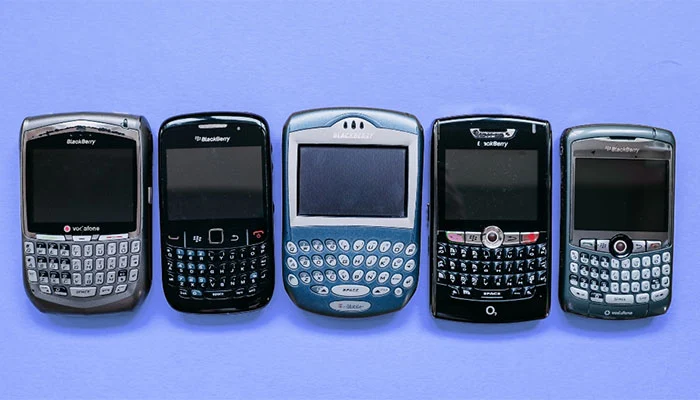
BlackBerry as a smartphone device died on 4Th January 2021. 

It means that Blackberry smartphones running on the original Blackberry operating system will no longer get any update or support from the company.

You can also call it the end of BlackBerry devices.

BlackBerry Smartphones running on BlackBerry Operating system are No Longer Supported End to BlackBerry Devices: eAskme


Services for BlackBerry PlayBook OS 2.1, Blackberry 10 Software, Blackberry 7.1 OS, and earlier are not available anymore. Any device that is running on this softwares will stop working. You cannot use BlackBerry for Wifi, calls, sms, data transfer, etc.

This update will also impact Blackberry Protect, Blackberry Blend, BlackBerry Desktop Manager, and Blackberry Link.

Blackberry is a Waterloo, Ontario-based company. If you do not know, Blackberry handsets were popular when people were in love with QWERTY keyboards.

But with the demand for touchscreen phones has killed BlackBerry’s market.

Android has completely snatched BlackBerry’s smartphone market share with better picture quality, wide display, and functionality.

Blackberry has failed to attract smartphone users. The major reason why blackberry failed is that they have not updated their smartphones for the common user. A common user wants a wide display, high-resolution camera, more RAM, fast processor, easy to use functionality.

These are Android's features, which have caused a massive hit to BlackBerry.

Conclusion:

4th January 2022 is the end of Blackberry Smartphone devices.

If you still have a Blackberry phone, you should switch to a new Android or Apple smartphone.

If you love your smartphone, you should keep it as an antique. Unfortunately, you will not be able to make calls or send SMS from your Blackberry smartphone anymore.

Have you ever used any BlackBerry Smartphone?

How do you feel about this news?

Share your thoughts with us.

Share it with your friends and family.

Don't forget to join the eAskme newsletter to stay tuned with us.

Other handpicked guides for you;

Read More

2022/01/02

How to Troubleshoot Most Often Ham Radio Problems?

Radio is something we take for granted. We listen to it in the car and at home, and we enjoy music and talk shows regularly.

But radio is much more than that. Intriguingly, radio in commercial terms is only 101 years old – the first broadcast was made in 1920 – so it is still a young phenomenon.

But surely radio has less importance now, in a world of digital communication media?

How to Troubleshoot Most Often Ham Radio Problems?: eAskme


In some ways, it does, but there is still a requirement for radio as a communication medium.

For example, shortwave radio transmissions are the staple of the airline industry, and this is also true in the maritime world.

Short wave is the preferred communication method for much of the world's military and emergency services.

There are commercial stations still broadcasting on shortwaves to reach places other media cannot – the BBC's World Service is a prime example.
 
Then there are the many thousands of enthusiastic users of amateur or ham radio as a hobby ham radio is an engaging and fascinating one that remains very popular.

But that's not its only use.

In remote locations with no access to the Internet and no mobile phone signal, a short wave ham radio can be the sole method of keeping in touch.

Let's have a quick look at ham radio, who uses it, and common problems that may occur.

What is Ham Radio?

These allow people to transmit and receive while on the move.

However, true enthusiasts will have their own 'radio shack' from which they operate, where their equipment is based.

Ham radio is an amateur non-broadcast radio mainly focused on users who want to talk to others in different parts of the world.

It is a fun hobby that can be quite rewarding, and while you do need to take exams to get a license, they are relatively simple.

Who Uses Ham Radio?

The fact is that many people use amateur radio for different purposes.

One is not permitted to broadcast radio 'shows,' which is confined mainly to one-on-one conversations.

The people who use ham radio may not need to be technical or nerdy; it could also be just for fun.

Others have ham radio because they live or work in remote locations where it may be the sole method of communication.

Ham radio is particularly popular in the developing world, where the Internet has yet to arrive.
 
Ham radio involves various equipment and certain knowledge of how it works.

There is also widely used ham radio jargon that allows for communications to be quicker by sending messages in shorter 'coded' sentences.

Let's look at the common problems experienced by ham radio users and what can be done to rectify them.

The Main Problems Ham Radio Users Experience:

Ham radio users experience problems in three main areas: Radio Frequency (RF) problems, power problems, and operational problems.

Let's look at the most often seen problems in each area.

RF Problems

RF problems are usually those associated with the system and equipment itself, for example, poor or missing cables and equipment such as inoperative antenna and bad connections.

The usual troubleshooting routine for this type of problem includes the following:

  • Replace cables and adapters one at a time if you have spares that you know work.
  • Note which combinations of switching devices and antennas seem to work and which don't. See whether the problem is common to a set or piece of equipment or specific cables.
  • Bypass or remove switches, relays, or filters. Leave yourself a note to put the device back in.
  • Check through antenna feed lines. Consider whether the antenna feed point has a DC connection, such as a tuning network or impedance-matching transformer.

This trial-and-error approach is often the only one that works and highlights the need for users to understand the equipment. Next, let's talk about power problems.

Power Problems

Power problems occur similarly to the above when the power is not getting to the transmitter or receiver.

This can be a simple problem such as faulty switches, and the routine for troubleshooting includes:

  • Check for low output voltage. Low voltage, especially when transmitting, can cause radios to exhibit strange behavior. Low voltage can also result in low power output or poor RF stability (chirpy, drifting, or raspy signals).
  • Check the supply with both AC and DC meter ranges. Hum on your signal can mean a failing power supply or battery.
  • If you suspect a poor connection, measure the voltage at the load (such as the radio) and work your way back to the supply. Poor connections in a cable or connector cause the voltage to drop under load.

Operational Problems

Operational problems are usually the operator's fault who has perhaps failed to switch the system on the problem, has miskeyed messages or a call sign, and is not correctly communicating with the outside world.
 
There can also be the very common interference problem from computers and other electrical equipment, and even metal items close to the radio equipment.

In these cases, it is trial and error again by moving items one at a time to discover the problem.

Computers, microwaves, and other RF transmitting equipment, including smartphones, are usually the cause of interference with ham radio.

Conclusion:

Ham radio is used to contact the outside world with surprising numbers of people.

Many times has come to the rescue in crises such as natural disasters in which all other communication methods have failed.

If you're interested in becoming a ham user, it is a great way to make new friends and learn new skills, so check those reviews, take the basic test, and buy a cheap hand-held radio to begin with.

Still have any question, do share via comments.

Share it with your friends and family.

Don't forget to join the eAskme newsletter to stay tuned with us.

Other handpicked guides for you;

Read More

2021/08/26

Best Video Doorbells Without Any Subscription Required!

Many people refrain from installing smart video doorbells in their homes due to subscription costs.

If that is the case with you, you can always turn to onboard storage or external storage video doorbells, which have just the right features and functions.

Best Video Doorbells Without Any Subscription Required! eAskme

How Do Video Doorbell Subscriptions Work?

Many video doorbells require you to subscribe for a monthly fee to avail of certain features.

However, various promotions are going on these subscriptions to reduce the cost; some even offer 30-day free trial periods.

There are various reasons why these subscriptions are so important.

Firstly, without any storage of the video recorded from your front door, it will be inconvenient that you cannot playback videos and monitor movement outside of your home after an incident or event has occurred.

This minimizes the functionality and benefit of the smart video doorbell. So, manufacturers provide you with cloud storage to store all these surveillance videos that are likely to be recorded 24/7.

Cloud storage is a much more convenient and vast way of storing such a long duration of videos.

Without storage options, you will only have basic functions like viewing outside, sync with your mobile app, and two-way audio.

While cloud storage subscriptions are so much more convenient, it might be costly for some people, and they might prefer an onboard storage option.

Also, you need to have cheap internet plans, so your data storage is always on and fully updated.

Video doorbells that don't work on a subscription have features like memory card slots or USB ports that allow you to use your hardware for storage purposes.

In addition, some doorbells come with built-in storage, as well as expandable external storage.

Let's take a look at the options you have.

Avoid Subscription Fees With These Video Doorbells

1. eufy Security, Video Doorbell (Battery-Powered)

Eufy Security Video Doorbell is equipped with advanced technological features starting from Sony 2K sensors that ensure a high-quality picture and sharp resolution of visitors out your home.

The doorbell is more like a one-time investment, thanks to its built-in storage of 16GB.

It is also equipped with advanced features such as face detection and two types of power options.

You can either have the bell work with existing doorbell wiring or use the built-in battery that works for about 180 days.

One of the most notable features of the device is its built-in Alexa voice control. In addition, it has the option of working with a mechanical chime and using Alexa as a chime.

2. Amcrest 1080P Video Doorbell Camera Pro

Compared to the eufy's 2K sensors and high-resolution imagery, Amcrest is slightly downgraded to a 1080p resolution.

However, that is not much of a deal-breaker when you look at some of its other features such as built-in mic and 2-way audio, wide 140-degree view angle and a range of up to 16 feet.

The bell is also equipped with advanced PIR motion sensors that instantly send you an alert via email and on your phone when there is an activity at your front door.

It runs with the Amcrest mobile app to make things a lot easier for you.

You get the option of cloud storage and external class 10 MicroSD cards of storage size up to 128GB.

All of these incredible features are covered by a 1-year warranty. Not only this, but you also get lifetime access to responsive technical support.

3. SkyBell SH02300BZ HD WiFi Video Doorbell

If you are looking for a smaller and low-profile video doorbell on your front door, then go for this SkyBell B02300BZ Wi-Fi doorbell.

Compared to the typical rectangular shape of video doorbells, this circular doorbell features an HD resolution camera that you can control with an Alexa voice assistant.

You can create a very convenient smart home set up if you have Amazon Echo or other Alexa-compatible devices at home.

It also comes with PIR motion sensors that detect threatening movement even from a distance.
You can control the bell with your Android or iOS devices.

It also has a night vision for clarity and safety during dark hours and the option of saving videos from the last seven days on the app without any costs.

Just download these videos on your mobile or any other device for personal, non-subscription based storage.

4. Nooie Video Doorbell Camera with Chime

Nooie video doorbell is a huge competitor to eufy security doorbell, thanks to the powerful 2K sensors and high res imagery.

The doorbell offers two storage options: a cloud-based storage option or a microSD external storage option.

You can add a maximum of 128 GB memory card.

It is equipped with a human body and face detection system, aligned with PIR motion sensors for high-tech functionality.

Since the doorbell is battery-powered, you won't have to worry about wiring and difficult installation processes.

Conclusion:

There is a huge pool of video doorbells in the market that don't require a pricey subscription.

If you want to go for cloud storage and enjoy its perks, don't miss out on internet bundles and deals so you can keep your cloud storage updated at all times.

If you still have any question, feel free to ask me via comments.

Don't forget to join the eAskme newsletter to stay tuned with us.

You May Also Like These;

Read More

The Best Home Theater System with a Surround Sound System

You can do lots of things to upgrade the sound quality of your TV or any other device.

However, if you want the best performance at a pocket-friendly price, a home theater will be the best option.

The Best Home Theater System with a Surround Sound System: eAskme

A soundbar system comes with advanced features, including 5.1-channel, Atmos, and WIFI streaming gives an amazing audio experience than traditional two-channel stereo.

Also, people can easily afford the home theatre 5.1 price, making the system popular after every passing day. 

This article lists some of the top home theater names and their features, including JBL home theatre. Let’s Start.

Onkyo HT- S3910

Are you searching for a home theater with both speakers along with a receiver for a small space?

Then here is the Onkyo HT- S3910 home theater for you.

According to experts, this home theater offers room-filling sound and is designed with a highly versatile feature set.

Apart from this, for additional height modules, you can swipe the two rear speakers and adjust the Dolby Atmos. Moreover, this home theatre 5.1 price is quite inexpensive.

JBL Home Theatre

JBL home theatre includes 5.1 channels and comes with a wide range of modern technology and interesting factors.

This excellent home theatre offers remarkable sound quality and effects.

Apart from this, the JBL home theatre system is designed with a USB port, HDMI, Bluetooth, and other connectivity.

All these features allow users to connect this soundbar with other compatible devices.

When buying this home theatre system, you will understand that this home theatre 5.1 price is very low compared to other traditional home theatres.

Logitech Z506 Home Theatre

Want amazing and high-quality game sounds?

Your search can be ended with a Logitech Z506 home theatre system.

This 5.1 channel sound system provides fun & funky sound quality. In addition, this home theatre 5.1 price is inexpensive, and it doesn’t require a receiver while connecting to a computer or laptop.

However, if you wish to connect the Logitech Z506 soundbar with your television, you will only need a receiver.

Want to buy?

Take action from Bajaj Finserv EMI Store and get super discounts on the home theatre 5.1 prices.

Sonos 5.1 Surround Set

Sonos 5.1 Surround Set is a complete sound system, and the package comes with a Dolby Atmos-activated Arc soundbar and satellite speakers.

As per customers’ reviews, you can quickly set up this sound system in your house.

The most significant thing about this home theater is its super-convenient wireless sound system that gives an amazing sound experience.

Also, if you compare this home theatre 5.1 price with other 5.1 soundbars, you will realize that you will get everything in hand at an affordable price.

SVS Prime 5.1 Speaker System

Do you want a home theater for your small room?

Then you must opt for the SVS Prime 5.1 Speaker System.

This customers’ choice home theatre offers clear and compact sound and comes with an excellent SB 1000 subwoofer. An AV receiver powers it.

You can buy an SVS Prime 5.1 Speaker System from the Bajaj Finserv EMI Store and get amazing prices on the home theatre 5.1.

Conclusion:

Bajaj Finserv EMI Store provides various deals on the home theatre 5.1 price.

For example, if you decide to buy a JBL home theatre from Bajaj Finserv EMI Store, you can buy it with No Cost EMI.

So, why wasting time?

Get the best home theatre system from Bajaj Finserv today.

If you still have any question, feel free to ask me via comments.

Don't forget to Subscribe the eAskme newsletter to stay tuned with us.

You May Also Like These;

Read More

2021/08/13

How to Find out What Kind of Laptop You Have?

It is essential to know what kind of laptop you have because sometimes we need to upgrade it so if we know everything about our laptop, we can easily do upgradation.

Over time, we know that many advanced features of laptops are taking the limelight, so if you want to buy a laptop with advanced features, you can compare it with your old laptop.

How to Find out What Kind of Laptop You Have?: eAskme

Sometimes we need to change the battery or to replace the keyboard you can do this only if you exactly know the model of your laptop.

If you don’t know that kind of laptop, you can check the model, specification, and features using different methods.

Now come back to our main topic and explore how to find what kind of laptop you have.

Finding your laptop’s model name

The model’s name is essential because if you know your laptop’s model name, you can check your laptop’s specifications and help you find the troubleshooting information.

In some cases, it is easy to find the model’s name. Flip your laptop down, and somewhere on the bottom, you will see the logo and a small text that is your laptop’s model name.

Many old laptops don’t have a model name on the bottom, so in this case, you have to remove the bottom panel to check the model’s name.

It is not an excellent solution to remove the bottom panel, so in this case, you can locate the model’s name through your control panel.

The type control panel then click the system and security it should be the first option then click the system link and the information about your laptop will appear like brand and model’s mane.

Checking your laptop’s CPU

You must know your CPU because you will need to upgrade your processor so you can relate your old CPU with the new one.

It is effortless and straightforward to find out what kind of CPU you have in windows 10.

When your screen starts, you will see the windows logo click right on it on the bottom left corner, and a list of options will appear.

Then you have to click on the System option that will be located in the middle section.

After clicking the system option, an about page will open than in the middle of the page, you will see an option called device specifications, where you quickly find out your laptop’s CPU.

Checking your motherboard

Checking what kind of motherboard your laptop has is not essential, but, in some cases, if you need to find out, you have to follow some easy steps.

At the bottom left corner, a type here to search bar is located.

First, you must need to write the system information on it. Then a system information app will appear. Just click on it.

A system information app will open a massive list of information; then, you will see the BaseBoard Manufacturer option towards the bottom. This is the brand of your motherboard.

You can find your motherboard’s product and model through the BaseBoard manufacturer option.

Also, you can find out what CPU, GPU, and memory you have through the system information app.

Seeing what GPU you have:

If you are a gamer or playing different games is your hobby, your laptop’s GPU must be advanced.

So, if you want to play games clearly or compare your GPU with other laptops, you must know what kind of GPU your laptop has.

Just click right on the window’s logo located on the bottom left then a menu will appear out that has different options.

After it, you need to click on the Device Manager.

A list of drop-down menus will appear where you can find out every device name your laptop has and the devices connected through USBs and Bluetooth.

Then at the top, you will see the menu called Display Adaptor. Just click on it then your laptop’s GPU will be under this menu.

There is two option available one is standalone, and the other is integrated graphics you need to focus on standalone because it is essential.

How much RAM is in your laptop?

If you are an employee, student, or gamer, your RAM must be fast because if you have good enough RAM, you can perform multitasking.

There are so many options available to find out how much RAM your laptop has.

Right-click on the window’s icons that appear on your laptop’s screen then a menu will appear. Then, you click the system option.

Now an about page will open scroll down slower than you will see an option called Device Specifications.

Now, you can check the amount of RAM you have mostly it been label as installed RAM.

Upgrading your laptop: what’s possible

After checking your laptop’s specifications, if you want to upgrade them according to your interest, you upgrade the RAM and storage option easily because it is impossible to change the core components.

Conclusion:

Knowing the laptop’s specification is important because sometimes we need to sell it or any time, we need some changes like RAM and storage.

If you know the specification you can compare it with the one who has advanced features laptop then you can easily upgrade your laptop.

If you find this article useful, do share on your social profiles.You have questions? Share via comments.

Find this post helpful, don’t forget to share it!

Other Helpful Guides for you;

Don't forget to like us FB and join the eAskme newsletter to stay tuned with us.
Read More

2021/07/19

All About LED Parking Lot Lights - A Short Guide

LED Parking Lot Lights can be used for many purposes like parks, playgrounds, sidewalks, floodlighting, etc. this is a worthy investment as plenty of benefits are associated with them.

The latest technology of these lights makes them energy efficient and universal.

These are available in a variety of colors, different power usage, and different budget ranges.

You should directly buy from LED Light Manufacturer to save on bulk orders.

You can buy the LED Parking Lot Lights.

All About LED Parking Lot Lights - A Short Guide: eAskme

The cost-effective LED parking dot lights need a little maintenance and are safer to use.

Moreover, these are eco-friendly sources of lighting and are becoming popular day by day.

So if you are going to choose these lights, it is a wise choice.

But there are certain aspects of such a lighting system that should be known before making a purchase.

This guide contains all that is required to make your choice perfect.

What are the Benefits of LED Parking Lot Lights?

There are several reasons to say yes to these parking lights.

Some significant features of these universal lights are mentioned here.

1- Eco-Friendly Lighting Method

The LEDs are a very excellent lighting source and emit less heat.

However, they don’t warm up the surroundings and cover the maximum area.

Moreover, unlike traditional lights, these are less piercing and seem very cool to the eyes.

2- Cost-Effective

These LED lights provide high illumination to brighten the parks and sidewalks.

In addition, their maintenance is easy and features a low cost.

Also, the longevity of these lights is very high. All these features make them a cost-effective source of lighting.

3- Energy Savers

As it is evident that LEDs use less energy as compared to traditional energy sources.

These save up to 30-50% of energy. This feature makes them an efficient lighting source.

4- Best Quality Light

The traditional bulbs provide low-quality light as compared to LEDs.

However, these offer a better color rendering and index rating.

Moreover, these emit a marvelous light that does not pierce the eyes.

5- Attractive Designs

The Parking Lot LED Lights are available in very catchy and attractive colors.

Their installation in the parks or grounds will add to their beauty.

You can choose the updated version of LED parking lot lights.

Learn more about the latest commercial or residential electronic devices and technologies with attractive designs. 

6- Easy Installation and Maintenance

You can easily install these lights at low-cost labor, and their installation is not complicated.

Moreover, their replacement is not too difficult and can be replaced on self-aid.

These LED lights are very flexible.

7- Safe Lighting Source

Parking lighting requires such a source that is relatively safe and secure.

These would light up the parking area effectively, and you can easily observe the happenings in the parking area.

Things to Consider Before Making a Purchase

Here are some of the crucial strategies that must be kept in mind before selecting LED lot lights for your parking.

1- Frequency

The number of LEDs depends on the size of your park, ground, or any other area where you have to install them.

So make sure about the site, and select the perfect number of lights that are enough to light up your space.

2- Spacing

Another factor that affects the efficiency of the lighting is the space between one and another LED.

If you insert too many LEDs at a crowded place, these would seem odd and affect the budget.

But, on the contrary, if you keep too much distance between them, they would fail to light up space effectively. So, be sure about the number of lights and the area they are going to cover.

Then place them at a proper gap for adequate lighting.

3- Wattage

Another thing worth noting is the wattage of LEDs.

LEDs offer more lumen per watt as compared to traditional lighting sources.

However, you can purchase LEDs with different outputs. If you want to light up a 15 to 20 feet area, the 16000 to 20000 lumens are enough for your space.

4- Install LEDs in Cross Over Pattern

The most frequently used and efficient way of lighting is cross-over lighting, as the lights inserted on the different poles will decrease the shadow effect.

So, make sure that you have enough lights to set this pattern of lighting.

5- Color Choice

The LED parking lot lights are available in different colors but keep in mind that the American Health Association prohibits 5700K and 6500K. So, choose any one of the following.

  • 4000K: It resembles the natural white light and suits the business and other areas of work.
  • 5000K: These LEDs are also white and are perfect for large spaces and outdoors. It is the most recommended and frequently used LED color.

The other colors, i.e., 5700K and 6500K, are not recommended as these are harmful to both humans and the environment. Click here https://www.lepro.com/ to explore all the varieties of LED lights.

Conclusion

The LED Parking Lot Lights perfectly light up the large spaces like parks, parking, sidewalks, playgrounds, etc.

However, there are certain aspects to consider before deciding on LEDs for lighting up your large spaces.

Although some of the essential aspects are mentioned in the above guide, keep in mind all these strategies to perfect your selection.

Find this post helpful, don’t forget to share it!

Don't forget to like us FB and join the eAskme newsletter to stay tuned with us.

Other Handpicked Guides for You;

Read More

2020/02/20

5 Must-Have Music Gadgets For Music Lovers

Music lovers all over the world have one thing in common – the love for gadgets that can help them enjoy their music without necessarily listening directly from a mobile device.

When watching a video or listening to tracks from your phone, you get to enjoy it more when you do so through another gadget because then, the sound and effect will be more pronounced. You Should check product reviews before buying them..


5 Must-Have Music Gadgets For Music Lovers: eAskme

Other people are reading: Crossbows Recommended for Beginner Hunters

There are some accessories or gadgets that every music lover should have. Here are 5 of them:

1. Bluetooth Speakers

Bluetooth speaker: 5 Must-Have Music Gadgets For Music Lovers: eAskme

If you are someone that loves listening to music while at home, or you work from home, you will find that having a Bluetooth speaker will do you a world of good.

For people that love having the room saturated with music, a Bluetooth speaker is the way to go.

This gadget transmits music waves with the help of Bluetooth technology.

No need for wires and you don’t even have to stream music from your phone as most of them can play FM/AM radio as well as accept a USB device.

Bluetooth speakers come in different shapes and sizes but produce loud and enjoyable music indoors or outdoors.

Just make sure you charge the Bluetooth speaker when the battery goes down and you will always have something to enjoy your music with.

2. A set of good headphones

Headphones: 5 Must-Have Music Gadgets For Music Lovers: eAskme

If you want to lock yourself out of the world and live in the world of whatever music you are listening to, get headphones.

Headphones give you clear sounds and block out noise coming from the outside as much as possible.

For pure sound, you will enjoy the dynamic base. And for most of them, they come with a feature that allows you to take your call without having to reach for your phone when a call comes through.

You can get the very basic ones or go for the ones that are waterproof, wireless, have a USB port, FM/AM radio with a rechargeable battery.

3. Solar backpacks

People that are always on the go and prefer to take the plane, bus or train will find that these backpacks are very valuable.

No more issues with looking for a place to charge your music devices or gadgets since you can do that with your solar backpack.

The great thing about the solar backpack is that it will be recharging itself with the help of solar energy even as it charges your devices. Plus, you get to also pack other items in the bag.

And they are capable of not just charging your phones but other devices that can be charged through a USB port.

4. iPods

No, they are not out of the market yet. iPods are still very much in demand and are very good at storing music, data, documents, games, and video clips. iPods keep evolving with new features added to keep it fresh and functional.

Many people love it because it can do some of the tasks that a computer does. It can connect to the internet to download songs from iTunes or to access other songs and playlists. 

5. Docking Station

Docking station is different from the common portable speakers. While you can listen to your music, movies or audiobook from a docking station, you also get to charge your device in the process.

When checking out docking stations, keep an eye for the one that is versatile – such that you can charge when at home and still have the option for batteries so that you can take it outdoors.

Final Thoughts!

There is nothing as pleasant as enjoying your music from wherever you are without limitations. With music gadgets, listening to music becomes something you look forward to.

And what better way than to enjoy it with the 5 gadgets we listed above. If you are looking for more classy options,vintage turntable is also a good idea.


If you have other gadget ideas you think we missed out, you can let us know in the comment section.

If you have any question, do let me know via comments.

If you find this article interesting, don’t forget to share it with your friends and family.

Why?

Because, Sharing is Caring!

Don't forget to like us FB and join the eAskme newsletter to stay tuned with us.

Handpicked guides for you;
Read More
Grow Instagram Audience