Showing posts with label Desktop Software. Show all posts

2023/04/01

Preply Vs. Cambly: Which is Better Option for Teachers?

With the advent of technology, learning English online has become simpler; you can be at home and grasp the new language.

Today's online English language learning focuses more on practical applications and lessons for any level and age group.

Regarding language learning platforms, several online platforms connect English tutors and learners.

This blog will discuss two popular language learning platforms, Preply and Cambly.

Preply Vs. Cambly Which is Better Option for Teachers?: eAskme

What is the Cambly business model?

Cambly is an online language tutoring platform that connects English learners with native speakers worldwide.

The company's business model is based on providing an accessible and affordable language learning service that helps students improve their English skills through live conversation practice.

Cambly offers subscription-based plans, where students can pay a monthly or yearly fee to access the platform and schedule one-on-one conversation sessions with tutors.

The platform also offers a pay-as-you-go option, where students can purchase a certain number of minutes to use whenever they want.

In addition to its core tutoring service, Cambly offers specialized courses and resources for specific English language skills, such as grammar, pronunciation, and writing.

These courses are available as add-ons to the subscription plans or can be purchased separately.

How Cambly makes money?

Cambly generates revenue by paying a commission on students' fees to its tutors. The platform also earns revenue from its premium courses and resources.

Additionally, the company has partnerships with schools and universities, providing a white-label version of its platform to educational institutions to enhance their language learning programs.

Overall, Cambly business model relies on providing an accessible and personalized language learning service that meets the needs of a global audience while leveraging technology to connect learners with native speakers from around the world.

Pros and cons of Cambly:

Cambly is an online English tutoring platform that connects students with native English speakers.

Here are some pros and cons of using Cambly:

Pros:

  • Flexible scheduling: Cambly offers 24/7 availability, making scheduling lessons at any time easy.
  • Native English speakers: Cambly's tutors are native English speakers from the US, UK, Canada, and Australia, providing students with an authentic learning experience.
  • Conversational approach: Cambly focuses on conversational English, making it ideal for students who want to improve their speaking and listening skills.
  • Free trial: Cambly offers a free trial for new students, allowing them to try the service before committing to a paid plan.
  • No minimum commitment: Unlike other tutoring services, Cambly does not require a minimum commitment, allowing students to take as many or as few lessons as they want.

Cons:

  • Expensive: Cambly is relatively expensive compared to other online tutoring platforms.
  • Limited curriculum: Cambly's focus on conversational English means that there may be better options for students who want a structured curriculum with a specific learning path.
  • Variable quality: Because Cambly's tutors are not required to have teaching certifications or experience, the quality of the tutoring can vary widely.
  • Limited feedback: Because Cambly's focuses on conversation, students may need more detailed feedback on their writing or grammar skills.
  • No offline resources: Cambly only offers offline resources or materials for students to study independently outside their sessions with a tutor.

What is Preply?

Preply is a language learning marketplace where tutors offer language services.

Students can select a language teacher and schedule lessons on a specific date.

Prices differ according to the teacher, and you can easily choose tutors that suit your needs and budget.

Pros and Cons of Preply:

Preply is an online platform that connects students with tutors for one-on-one lessons. As with any platform, there are both pros and cons to using Preply:

Pros:

  • Wide range of tutors: Preply has a large pool of tutors worldwide, making it easy to find a tutor who speaks your target language and fits your schedule.
  • Flexible scheduling: Tutors on Preply are available 24/7, so you can book a lesson at a convenient time.
  • Affordable pricing: Preply's pricing is generally lower than what you would pay for in-person traditional language lessons.
  • Variety of lesson types: Preply offers a range of lesson types, including conversation practice, grammar instruction, and exam preparation.
  • Easy payment and cancellation: Payments and cancellations are processed quickly and easily through the platform.

Cons:

  • Quality of tutors can vary: Because anyone can apply to be a tutor on Preply, the quality of tutors can vary widely. It's important to read reviews and choose a tutor with a strong track record.
  • Technical issues: Technical issues can sometimes arise during online lessons, such as poor internet connection or audio problems.
  • Limited interaction: Because lessons are conducted online, you may get a different level of interaction than you would in person. This can make it more difficult to pick up on nuances of the language.
  • Limited support outside of lessons: Preply's support is limited to scheduling and payment issues. You may need to look elsewhere for additional help with language learning outside of lessons.
  • Preply can be a great option for language learners seeking affordable, flexible, and convenient language instruction.
  • Still, it's important to be aware of the potential drawbacks and choose a tutor carefully to ensure a positive learning experience.

Differences between Preply and Cambly:

Preply and Cambly are both online language learning platforms, but there are some differences between them:

Teaching Approach:

Preply focuses on a more structured learning approach with the ability to choose your own tutor and schedule lessons.

At the same time, Cambly provides more informal conversation-based practice with the option to speak with various tutors on a more ad-hoc basis.

Tutoring Availability:

Preply offers lessons in more than 50 languages, while Cambly is focused on English language learning.

Pricing:

Preply offers a range of pricing options, with tutors setting their rates, while Cambly offers a subscription-based model with unlimited tutor access for a monthly fee.

Tutor Qualifications:

Preply tutors are required to have teaching certifications or relevant experience, while Cambly tutors do not necessarily need formal teaching credentials.

Features:

Preply offers features such as lesson plans, progress tracking, and homework assignments, while Cambly focuses more on live video chat with tutors.

Ultimately, the choice between Preply and Cambly will depend on your learning goals, preferences, and budget.

Similarities of Preply and Cambly:

Preply and Cambly are online platforms offering language tutoring services, connecting students with tutors worldwide.

Here are some of the similarities between the two platforms:

Language options:

Both Preply and Cambly offer tutoring services in a variety of languages. Students can find tutors who specialize in languages such as English, Spanish, French, German, Chinese, and more.

Flexible scheduling:

Both platforms offer flexible scheduling options, allowing students to book sessions at times that are convenient for them. This makes it easy for students to fit language learning into their busy schedules.

One-on-one tutoring:

Preply and Cambly provide one-on-one tutoring sessions, giving students personalized attention from their tutors. This allows for a more focused and customized learning experience.

Variety of tutors:

Preply and Cambly have a diverse pool of tutors worldwide, allowing students to work with tutors from different cultural backgrounds and teaching styles.

Overall, Preply and Cambly share many similarities in their approach to language tutoring, offering students the flexibility and personalized attention they need to achieve their language learning goals.

Preply and Cambly, which is the best:

Both Preply and Cambly are good when it comes to learning a new language. But it all comes down to your choice.

And if you wonder which language learning platform is best, the best bet is to build an online language learning platform as you hold control of running a business.

You can use the industry’s best online tutoring software to build your Preply-like platform to host your online classes.

It comes with best-in-class features and allows you to customize the script to suit your needs.

Preply and Cambly are online platforms providing language learning services, but they have different features and target different audiences.

Here's a brief comparison between the two:

Preply:

  • Offers personalized one-on-one language lessons with professional tutors.
  • Has a broader range of languages available for learning?
  • Provides more advanced tools for scheduling, payments, and lesson materials.
  • Offers a variety of language proficiency tests to help learners track their progress.
  • It tends to be more expensive than Cambly, with prices varying depending on the tutor's experience and expertise.

Cambly:

  • Offers conversational English practice with native English speakers.
  • Provides 24/7 access to tutors, making it more flexible for learners who want to practice anytime, anywhere.
  • Offers a free trial session and a low-cost subscription plan for unlimited tutor access.
  • It has a mobile app that allows learners to practice on the go.
  • Has limited options for learning languages other than English.

Regarding which platform is better, it ultimately depends on your goals and preferences.

If you're looking for personalized language instruction and are willing to pay a higher price, Preply may be the better choice.

However, if you're looking for more casual conversational practice with native speakers and want to save money, Cambly might be a better fit.

Conclusion:

Selecting the language learning platform for your English learning (or any other language) doesn't have to be difficult.

You can decide your needs when you want to explore a new language. If you want a well-qualified teacher, choose Preply, and if learning on the go is your priority, try out Cambly.

Still have any question, do share via comments.

Share it with your friends and family.

Don't forget to like us FB and join the eAskme newsletter to stay tuned with us.

Other handpicked guides for you;

Read More

2023/03/24

Opera Generative AI Tools for Desktop Browsers: How to use it?

Opera is also going after AI. Opera Browser AI will integrate with desktop browsers.

With Desktop Browser AI, Opera is incorporating ChatSonic and ChatGPT services in their Opera GX and Opera Browser. Users can use AI content tools and features with the Opera browser with these features.

Opera browser features match what you will get in Microsoft edge parity.

You can not only use a built-in VPN in the Opera browser. This will give you better control over browser privacy settings like Edge browser.

How to use Desktop Web Browser with Opera Browser Generative AI?

Opera Generative AI Tools Browser: eAskme


Opera has published a post explaining the launch of Generative AI tools for the desktop web browser.

With new AI tools, opera users will have a better experience searching, learning, and creating.

Opera Address Bar Smart AI Prompts:

You can use Opera smart AI prompts in the address bar. You can do it by highlighting website text.

You can perform the following tasks with Opera Browser Generative Ai services such as;

  • Ask for relevant content.
  • Explain articles.
  • Short articles.
  • Generate tweets.

Opera will add new features to help you use contextual AI prompts in the browser.

Integrating ChatSonic and ChatGPT in browser:

Opera is integrating services like ChatSonic and ChatGPT in the desktop browser sidebar.

With these features, you can use the browser for:

  • Generating ideas.
  • Translation.
  • Itineraries.
  • Summaries, etc.

ChatGPT gives you a better AI experience in the Opera browser. With ChatSonic, you can generate images based on text.

How to Use Opera Generative AI Tools?

You can access Opera Generative AI Tools in desktop browsers on Mac, Windows, and Linux.

  • It is a must to upgrade your Opera browser to use advanced AI features.
  • Download the Opera browser from Opera.com
  • Go to “Easy Setup.”
  • Toggle “AI Prompts” to activate “Early Access.”
  • Now you can access AI services and UI in the Opera browser sidebar.
  • You must Signup and log in to access Opera Generative AI Tools.

To use Opera Generative AI Tools in Opera GX:

  • Go to Browser Settings.
  • Click on “Early Bird.”

Conclusion:

AI is getting everywhere. After Microsoft, Google, Snapchat, YouTube, etc., Opera offers AI tools to improve user experience.

The AI-powered desktop browser will help users easily create, research, and learn online with features like ChatSonic and ChatGPT.

Opera Generative AI Tools is still in the early stages. You can see a lot of improvements and innovations in desktop AI features. We are waiting for Opera ChatGPT-based AI search engine and browser.

Still have any question, do share via comments.

Share it with your friends and family.

Don't forget to like us FB and join the eAskme newsletter to stay tuned with us.

Other handpicked guides for you;

Read More

2022/11/25

Free Online Video Editor: Missing Titles and Subtitles in Video

According to a report, 82% of online traffic comes with video content.

More people spend time watching videos which are increasingly a significant part of marketing campaigns.

Since multimedia is a powerful marketing tool for any business, titles and subtitles are crucial for reaching a wider audience.

Free Online Video Editor: Missing Titles and Subtitles in Video: eAskme

But why are titles and subtitles sometimes missing from videos?

The worst part was that some of the displayed subtitles needed to be more accurate and weren't exactly added to the appropriate scene of a particular movie.

Others arrive late and move quickly.

Suppose you've ever had an experience like this.

In that case, you'll need an online video maker with a captioning feature that lets you quickly add pre-made captions and personalized subtitles to your videos.

It should have a feature that instantly produces editable subtitles for video content and converts speech to text.

This post discusses the following factors:

  • The distinction between captions and subtitles.
  • Steps on  adding subtitles to videos
  • The importance of subtitles.

Before delving further, let us first discuss the subtitles and captions differences.

What Distinguishes Captions and Subtitles?

Although "subtitles" and "captions" are frequently interchangeable, they have some distinct differences.

Learning the distinction between captions and subtitles is crucial when editing a video.

Here are the differences between these two:

Captions:

The dialogue, narration, and any additional soundtrack that may be visible in a video are all communicated through captions.

It has two elements: closed captions and open captions.

  • Closed Captions: These are independent captions that can be enabled or disabled by clicking the "cc" icon on the video player.
  • Open Captions: These are embedded captions in the video that cannot turn off.

Subtitles:

These are transcribed texts in any video intended for people who cannot understand or speak the language.

It translated the conversation or dialogue into a different language.

How to Add Subtitles Using a Free Online Video Maker?

Understanding how to add titles and subtitles to your videos is an essential skill.

Since using a video maker free online tool like a wave.video is a reasonably simple task, we'll look at some methods to add subtitles to improve your audience's viewing experience.

Here are the methods to follow when adding subtitles to your videos using an online video maker:

Step 1: Browse video maker online free and Sign Up.

If you don't have an account, sign up and create a free or paid subscription account. After creating your account and getting verified, sign in and make your video.

Step 2: Click the 'Upload' icon or 'Create a Video.'

To begin, click "+ New Video" and choose one of the following options:

  • Upload a video clip
  • Make a new video from templates and stock resources
  • Or begin with a blank canvas.

Wait until the video is uploaded before clicking on the thumbnail and selecting "Edit."

Step3: Adding Captions and Subtitles

Adding Captions and Subtitles in an online video maker like a wave.video is pretty simple.

Here are the steps to adhere to:

  1. Once in the Editor section, hover over the Captions bar on the left menu.
  2. Press the 'Auto Captions' if you want your captions to be auto-generated.
  3. Choose the video or audio file and your preferred language to generate subtitles automatically.
  4. You can customize your subtitles or titles by uploading a .srt or .vtt file format.

Step 4: Edit and Customize Your Captions

You can change the text color, font, and animation at an online video maker to alter how your captions appear.

Additionally, you can modify the timing to edit the captions and transcribed text. When finished, click the play button to view a preview.

Step 5: Download the Video and Share

The last step is publishing or sharing your video on social media platforms.

You can email, embed your video, or download and save it to your computer.

Why Are Subtitles Important?

Regardless of where your audience is, subtitles are a valuable addition to your video content.

It allows you to reach a larger audience, increase engagement and availability, and even boost the search rankings of your video.

Below are some advantages of adding subtitles to your videos:

Viewers Preferences:

The majority of viewers prefer to watch videos with subtitles.

According to statistics, 80% of these audiences prefer subtitled videos.

Better understanding and viewing experience:

Subtitled videos are more popular with a global audience because they are easier to understand.

We all learn differently; some are visual learners (learn through visual communication or reading), while others are auditory learners (understand through hearing and listening).

Any viewer will understand the overall message if the video has subtitles, regardless of how they prefer to learn.

Reach a Wider Audience:

Since there are over 7000 languages spoken in the world, adding subtitles or transcribed text to your videos allows you to reach a larger audience.

Check where your target audiences are and what languages they speak. It would be ideal if you could provide subtitles in various languages.

Boost SEO Ranking:

It is vital to create well-informative content that your customers can learn.

Remember that you need to rank to attract more viewers; adding subtitles to your videos can cater to a broader audience.

Subtitles help improve search engine ranking because Google indexes them (except for auto-generated or closed captioning).

These factors influence how many individuals find your website, watch your video, and interact with your brand.

Conclusion:

People will watch a video if they understand and learn from it.

Even if your video is well-made and contains informative episodes, you will only attract a small percentage of the audience without subtitles.

Additionally, by understanding the significance of video subtitles, you can put yourself in the best state of mind to compose the perfect subtitles for your content.

Besides, most viewers search for a video before deciding what to watch. Adding subtitles to your videos can increase engagement by up to 40%.

Similarly, a video maker online can make a significant contribution to the creation of a powerful video.

Use wave.video to add subtitles to your upcoming video to maximize the impact of your video content.

Still have any question, do share via comments.

If you find this article interesting, don’t forget to share it with your friends and family.

Why?

Because, Sharing is Caring!

Don't forget to like us FB and join the eAskme newsletter to stay tuned with us.

Other handpicked guides for you;

Read More

2022/11/13

Free WonderFox HD Video Converter Factory Pro Giveaway [Official] 2026

The web is flooded with millions of videos you want to watch and save to your computer for you to watch later. However, directly downloading videos from websites and converting your favorite videos to the desired format is not easy.

Therefore, WonderFox HD Video Converter Factory Pro came into being in response to this problem.

Free WonderFox HD Video Converter Factory Pro Giveaway [Official] 2026

WonderFox HD Video Converter Factory Pro:

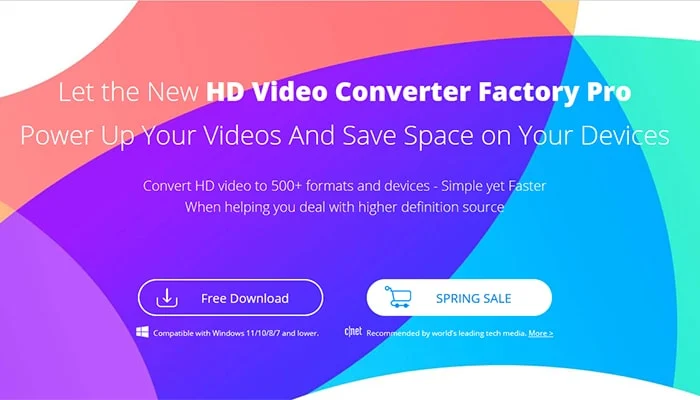
WonderFox HD Video Converter Factory Pro is one of the best video converters with many interesting features like converting YouTube videos to MP4, downloading videos, recording screens, editing videos, creating GIFs, and more.

In this article, we will carefully discuss the main features of this software.

Key features of WonderFox HD Video Converter Factory Pro:

These features played an intuitive and important role in the popularity of the software among users around the world.

To understand how this video converter works, let's move on to its features.

Convert videos to 500+ output formats and devices:

It supports over 500 output formats and devices, allowing you to convert video files to the most popular formats, such as WMV to MPG, AVI to MP4, MKV to MOV, etc.

If you are unfamiliar with video formats, to ensure that your video is supported and playable on your preferred device, you can also directly select the output device, such as tablets, phones, desktops, laptops, handsets, TVs, and much more.

As for audio files, it supports MP3, WAV, DTS, AAC, AC3, MKA, FLAC, ALAC, etc.

How to use WonderFox HD Video Converter Factory Pro to convert video files?: eAskme

Save content from 1000+ websites with one click:

WonderFox HD Video Converter Factory Pro is embedded with a built-in video downloader that allows you to save videos from over 1000 websites such as YouTube, Hulu, Vimeo, Liveleak, Dailymotion, Facebook, Twitter, etc. So, you can watch offline when you don't have an internet connection.

Basic video editor:

WonderFox HD Video Converter Factory Pro also includes video editing features that enable you to modify the basic elements of the video.

You can easily trim, merge, crop, and rotate videos. Filters and effects can be added to make your videos look more captivating.

More features of WonderFox HD Video Converter Factory Pro:

  • Record the screen with sound.
  • Convert SD video to HD video.
  • Add subtitles to videos.
  • Extract audio from videos.
  • Convert videos and pictures into GIFs.
  • Batch convert video files, up to 10 at a time.
  • Powered by hardware acceleration technology to process your video files at lightning speed.

How to use WonderFox HD Video Converter Factory Pro to convert video files?

It is a user-friendly conversion program with an intuitive interface; you can easily use it by following the steps below.

Step 1: Enter "Converter" from the main interface and add video files to the program.

After starting the program, enter the main interface; there are 5 tabs to choose from, and select the corresponding tab according to your needs.

Step 2: Choose a suitable output format.

Click the "Output Format" panel to see more than 500 output formats, as said above, and select the one you need.

Step 3: Start converting video formats.

This is the last step; click the "Run" button at the bottom of the interface to start the conversion.

Pros:

  • Multiple gadgets in one.
  • Equipped with multi-language interface, English, Japanese, French, etc.
  • Fastest speed and best output quality.

Cons:

  • No Mac version.

Conclusion:

Its functionality clearly shows that WonderFox HD Video Converter Factory Pro is not an ordinary tool.

It knows how to take advantage of the device's hardware and software capabilities, fast downloads, and batch conversions.

Therefore, if you are a creator and have a hobby of the best videos for your phone, you should choose it without hesitation.

If you still have doubts, we recommend you try its free version. But keep in mind that the free version has certain limitations.

If you still have any question, do share via comments.

Share it with your friends and family.

Don't forget to join the eAskme newsletter to stay tuned with us.

Other handpicked guides for you;

Read More

2022/09/20

How To Build An Online Course With The Review of the Kajabi Platform?

These days, people are using the internet for many different things, especially the ones that will earn them money.

Developing and marketing an online course is one option that intrigues a lot of individuals.

How To Build An Online Course With The Review of the Kajabi Platform?: eAskme

Your ability to establish yourself as an authority in your industry, cultivate a community of people who share similar interests with your company, and broaden your reach can all be accomplished from the comfort of your own home if you use an online course to share your knowledge and expertise with others.

Check out the link https://www.wikihow.com/Design-an-Online-Course.

The process of developing an online class may be broken down into several discrete parts, each of which is detailed in the following guide.

All you need to know about developing an online course, from selecting the most appropriate topic to monetizing your efforts, can be summed up as follows:

Make sure you pick the appropriate topic:

It is totally up to you to decide what to write about, and you have a wide range of options to select from, such as advice on cooking or designing websites.

The correct topic matter is the most critical component in determining the success of an online course, even though the alternatives are practically unlimited.

Try out your concept:

You will need to put in a lot of time and effort if you want to create an online course, so doing a test beforehand will enable you to determine whether or not this idea for an online business will be profitable in the long run.

Design a landing page for any upcoming online course with the help of a landing page builder so that you can evaluate the viability of your plan.

Even though you have not yet developed the course, you are already familiar with the topics covered. Include a clear and succinct description of the class that outlines what participants should anticipate gaining from experience, and supplement it with striking visuals that further illustrate the idea.

Conduct in-depth research on the subject:

It doesn't matter if you are already an authority in your industry or if you plan to learn everything there is to know about it from scratch; the time has come to do in-depth research on the subject until you know all there is to know about it.

Extend your search beyond the information course attendees will quickly locate on search results as part of your comprehensive learning process.

Make an extra effort to gather information on the subject from various sources.

Research keywords to discover the questions people are asking about the subject matter.

As a result of this, you will have a better understanding of the categories of queries in which your audience may have an interest.

Maintain a watchful eye out for any subcategories in your field.

For instance, if you intend on instructing a class on how to care for indoor plants properly, you will most certainly want to go over the fundamentals, such as the importance of water and exposure to natural light.

However, to bring additional value to your students, you should search for novel approaches that will broaden the scope of your course.

One such approach could be to discuss the various plants that can filter the air.

Write a course outline:

Now is the time to create the lesson plan for your online class.

Make a list of the different lessons you intend to teach over the internet and write it down on a piece of paper.

During each lesson, you should segment it into the primary subjects you wish to discuss.

To ensure that the learning process goes as smoothly and efficiently as possible, you should follow a sequence of steps that makes sense and work to make your ideas flow naturally from one to the next.

Develop the Content:

Unless you already have professional expertise in your class, there is a good chance that you have already compiled content on the subject in the past.

Have you recently discussed this topic in a webinar or written a blog post?

Perhaps you have already explored these topics on a podcast that you broadcast for your company or on a YouTube channel that you manage on its behalf.

If such is the case, you should review these materials again. It will be easier to get started and save you a lot of time if you incorporate previously created content into your online class.

You may now build the accurate content for your online course by drawing on the materials you've gathered, your outline, which you developed in the previous phase, and your research.

The vast majority of classes utilize video as their primary mode of communication.

Nevertheless, you also have the option of utilizing written content, sound files, slides, or even a combination of several various kinds of media.

Put it online!

When you have finished preparing the material for your course, the next step is to design the environment in which it will be delivered.

If you currently maintain a business website, you may choose to incorporate a part of your online class within that site.

If not, you should establish a brand new website dedicated solely to serving this function.

Do share your thoughts.

If you have any question, ask via comments.

Sharing is Caring!

Don't forget to like us FB and join the eAskme newsletter to stay tuned with us.

Other handpicked articles for you;

Read More

2022/08/06

Ad Tracking Software Review

There are many different types of ad tracking software, and it is essential to understand what each one has to offer.

This article will outline the benefits and drawbacks of each one and how each one can benefit your business.

Ad Tracking Software Review: eAskme

Choosing the right software can be tricky, but the following information will help you decide which one to buy.

Linktrackr:

With the Linktrackr ad tracking software, you can track all the advertisements and affiliate links you use to generate traffic.

The software allows you to specify up to five parameters in your Campaign to track each advertisement. You can also track affiliate commissions.

To track conversions, you can create a Goal and put it on the appropriate pages of your website. Then, you can see every sale and lead you to generate with LinkTrackr.

With LinkTrackr, you can easily track your promotional campaigns and view your click statistics in real-time.

You can view the performance of your entire marketing campaign with its easy-to-use dashboard.

If you're unsure which campaigns are working, you can use the tool's keyword and ad-copy analysis tool to make informed decisions. It's also possible to cloak your affiliate links using LinkTrackr.

Another option is Voluum, which offers an array of analytics and link tracking tools. It features real-time reporting and graphs that enable you to analyze your campaigns effectively.

You can even use LinkTrack's split-testing features to see if you get better results with a specific ad.

Using LinkTrack, you'll be able to identify which campaigns are working and which ones need more work.

Funnel Flux:

The FunnelFlux tracking software is self-hosted, meaning you can set up a free trial and use it for up to a month.

After that, you must purchase a license for FunnelFlux Pro or increase your capacity.

Users can create funnels or campaigns and monitor how well they're working. The software includes prebuilt templates and allows for up to 64 action links.

You don't have to worry about the complexity of creating your funnels - FunnelFlux can track any funnel.

Understanding the differences between offers and funnels is essential to get the best change rates possible.

The FunnelFlux software provides all-in-one campaign measurement for a great customer experience.

You can create complex visual journeys with the software and track conversions, page views, and clicks. And it supports dozens of platforms.

HyperTracker 2.0:

If you are interested in minimizing your marketing expenses and boosting your sales, HyperTracker is the perfect software for you.

Its advanced tracking management system will help you track each advertisement's impact on your business's overall sales.

With its four different options, HyperTracker can benefit any internet business, from small-time operations to big corporations.

The first feature of HyperTracker 2.0 is its superior management platform, which lets you control every aspect of your advertisement campaign.

You can minimize costs by optimizing your campaigns to convert more clicks into actual sales.

Moreover, it works around the clock to give you all the vital statistics you need to make the right decisions for your marketing campaigns. Moreover, the program is fast, flexible, and easy to use.

It allows you to create unlimited links and track every click.

It helps you identify the sources of each conversion and avoid duplicate conversions. It can also tell you how much profit you're making and how much ROI you're earning.

While HyperTracker 2.0 is relatively easy to use, it comes with several limitations. The software is not compatible with ad networks that require multiple accounts. Hence, the installation of multiple instances is required.

Furthermore, the price of HyperTracker 2.0 is higher than those of other similar software. Furthermore, you should know the security risks of this software.

These same risks are not associated with Hyros so you may find it a better fit. This doesn't mean it's unsuitable for small-scale businesses.

Plat's ad tracking software:

Plat offers lead distribution and ad tracking services. Users can improve their revenue-per-lead (RPL) and goal conversion (CTR) with turnkey performance marketing solutions.

The software features 24/7 performance alerts and detailed analytics for organic traffic and advertisement impressions.

It also complies with the latest privacy rules enforced by browsers. The software also provides flexible integrations and advanced reporting options.

Plat's software is designed to help advertisers track the return on investment of their campaigns.

Its intelligence reports track digital marketing data and identify the most effective channels and ads.

This software integrates with business intelligence (BI) tools so that users can see a clear overview of digital marketing KPIs.

By tracking ROI, advertisers can increase ROI. Click here for more detailed information about ROI. This software helps advertisers make informed decisions based on data.

CPV Lab Pro:

CPV Lab Pro is an excellent platform that allows you to track multiple offers from a single landing page.

Unlike similar products, you can track multiple offers from the same landing page, and CPV Lab can help you determine which ones generate the most revenue.

The software allows you to split test multiple landing pages with a single form and also allows you to track the conversion rates of your offer, including whether a visitor opted-in to your offer or not.

CPV Lab PRO has a low one-time cost and offers a money-back guarantee if you are unsatisfied with its performance.

CPV Lab Pro has a wealth of features and requires no technical knowledge. It offers exclusive hosting deals to maximize the efficiency of your marketing campaigns.

CPV Lab Pro also includes a rich documentation database that provides example reports, Q&As, and more.

The software team is experienced and provides top-notch support to help you make informed decisions.

A 30-day free trial version is also available. If you're unsure whether CPV Lab Pro is right for you, take a free trial today.

If you still have any question, feel free to ask me via comments.

If you find this article interesting, don’t forget to share it on Facebook, Twitter or LinkedIn with your friends and family.

Don't forget to Follow on Twitter to stay tuned with us.

Other people are reading:

Read More

2022/05/05

How to Convert VOB to MP4 Without Hassle?

As you know, VOB is one of the most common formats for storing audio and video on DVDs.

If you are looking for VOB to more common video formats such as MP4 to transfer videos on more websites and devices, we will recommend the most practical conversion tools and usage guides in this article.

How to Convert VOB to MP4 Without Hassle?: eAskme

Why need to convert VOB to MP4?

A file with .VOB extension is most likely a DVD Video Object file, which contains video and audio data and other movie-related content such as subtitles and menus.

VOB was developed as a format for DVD players and discs, so it is intended to be read by hardware players.

If you don't have a dedicated hardware player, you are not allowed to play VOB files on DVD.

More importantly, one of the advantages MP4 has over VOB as a portable video format is its support for streaming media, as most video sites like YouTube and Instagram do.

And if you want to upload HD videos to Instagram, MP4 is your good choice. In a word, MP4 is more suitable for daily use than VOB.

Best converter to convert VOB to MP4:

Maybe many users think that converting VOB to MP4 is difficult, which professionals can only do. In fact, with the help of the right third-party converter, everything will become easier.

Suppose you have no answer in your mind about what conversion tool to choose; we recommend you to try WonderFox HD Video Converter Factory Pro.

In that case, it allows you to convert VOB to MP4 with a few clicks, and it comes with a lot of custom settings, including output format settings, parameter settings, and GPU acceleration use.

In addition, it is also a multi-media tool, which can not only help you convert video format but also act as a video downloader, video editor, screen recorder, GIF creator, etc.

Detailed steps about converting VOB to MP4

Step 1: Load VOB files

Find the VOB file you copied from the DVD, open the software, enter "Converter" from the main interface, and click the "Add Files" button to import the VOB video.

Another method is to drag the VOB file to the interface directly.

Step 2: Choose output format - MP4

This is a crucial step to ensure the successful conversion of VOB to MP4; click on the "Output Format" panel to open the format list; now, you can select "MP4" as the output format in the "Video" tab.

Step 3: Convert VOB video to MP4

After setting the output format, click the "Run" button to start the conversion; this is the last step in the whole process; it takes dozens of seconds, mainly depending on the computer performance and file size.

Additional features of WonderFox HD Video Converter Factory Pro: eAskme

Additional features of WonderFox HD Video Converter Factory Pro:

  • Convert SD video to HD video.
  • Add subtitles to videos.
  • Convert audio to different formats, such as MKA to AAC, WAV to MP3, AC3 to FLAC, etc.
  • Download hot videos from 300+ sites, Liveleak, Vimeo, Hulu, Dailymotion, Facebook, Twitter, YouTube, etc.
  • Extract audio from video.
  • Convert pictures and videos into GIFs.
  • Record the screen with sound.
  • Edit video files as you wish, add effects, clip, crop, cut, watermark, merge, etc.
  • Support batch conversion mode, allowing to add 10 files at a time.

Conclusion:

WonderFox HD Video Converter Factory Pro is an easy-to-use conversion program.

You don't have to worry about it being suitable for experienced users because its interface is clean and intuitive, and even if you're a beginner, you'll quickly find a way to use it.

And its overall performance is very competitive compared to similar products.

What's more, it doesn't cause any quality loss. Try it out and comment below.

If you still have any question, feel free to ask me via comments.

Share it with your friends and family.

Don't forget to like us FB and join the eAskme newsletter to stay tuned with us.

Other handpicked Facebook guides for you;

Read More

2021/12/26

DuckDuckGo Desktop App

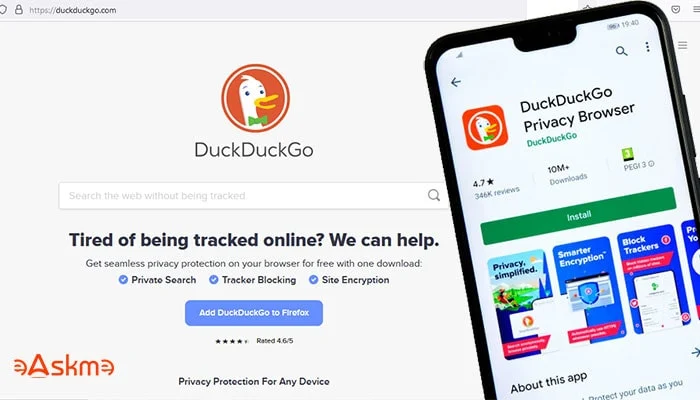
DuckDuckGo is working toward launching a desktop version of their mobile app for private browsing.

It is said that DuckDuckGo offers better privacy than Google Chrome.

DuckDuckGo’s Launching Desktop Version of Mobile App: eAskme

But DuckDuckGo has cleared that their browser is not a privacy browser.

DuckDuckGo browser is an everyday browser that you can use with better privacy.

But the final product is still in production, so that we will discuss the privacy later.

There is a difference between private browsing and privacy browsing.

According to DuckDuckGo, their web browser will be built with the focus to avoid unnecessary clutter and cruft.

You should know that the DuckDuckGo browser differs from their Google Chrome extension.

The DuckDuckGo app gives you maximum advantages that you will not enjoy in DuckDuckGo Chrome Extension.

What Should You Know About DuckDuckGo Desktop App?

DuckDuckGo Desktop App will have a simple and clean interface.

Users will see the Fire button on DuckDuckGo Desktop App.

Less clutter and more privacy.

DuckDuckGo Desktop App will be faster than Google Chrome.

DuckDuckGo is already testing its desktop app. Yet they have not announced the launch date.

If you do not know what DuckDuckGo is, here are some interesting facts:

  • 9% of Americans (27 million) are using DuckDuckGo.
  • DuckDuckGo receives 100 million searches daily.
  • DuckDuckGo is the most downloaded browsing app.
  • DuckDuckGo iOS app is the second most downloaded app on the iOS store.
  • DuckDuckGo has had more than 150 million downloads till now.

Conclusion:

DuckDuckGo is by far the most popular privacy-based search engine and browsing app.

So it is good to see how they will launch DuckDuckGo’s Desktop App and if people like the desktop version.

Stay tuned with us for more updates.

If you find this article interesting, don’t forget to share it with your friends and family.

Don't forget to join the eAskme newsletter to stay tuned with us.

You May Also Like These;

Read More

2021/10/12

Google Removing Support for Internet Explorer 11

The era of the Internet explorer is long lost. Now, Google is also hammering Internet explorer 11 by ending support.

According to Google, It is the time to move to the world’s user-friendly and updated web browsers.

Google Ended Support for Internet Explorer 11: eAskme

So if you are still using Internet Explorer 11, you should know that Google search is no longer there. You can use Bing search instead.

Google’s software engineer Malte Ubl tweeted it as a piece of good news for the developer community.

When we say that Google is ending support for Internet Explorer 11, it doesn’t mean that users cannot access Google on internet explorer 11.

But, it means that Google is removing itself from the default search engine option.

Also, Google will display basic results only.

It also means that many other Google features will not work on Internet Explorer 11 anymore.

This is not good news because 1.32% of people still use Internet Explorer 11 from their desktop computers.

But we know brands think about business, and business comes from where most of the population goes.

Google has done every calculation before deciding to end their support for IE 11.

Even WordPress has dropped support for Internet Explorer 11 in July 2021.

This may not impact Microsoft as a brand is moving ahead from IE 11.

So, the current IE users will have to move to other browser options.

The best for them is to use Microsoft Edge Browser.

Conclusion:

We are seeing the end of an era of Internet Explorer browsers. And IE 11 is the last of them.

People now have better and improved browser options like Mozilla Firefox, Brave Browser, Microsoft Edge, Google Chrome browser, etc.

These browsers are advanced, offer easy access and a user-friendly interface.

There is nothing wrong with moving to a new browser that offers you a better user experience and saves you a lot of time.

Don't forget to like us FB and join the eAskme newsletter to stay tuned with us.

If you find this article interesting, do share it with your friends and family.

Other Handpicked Social Media Guides for You;

Read More

2020/11/10

How to Make a Video Collage

Whether it is a wedding, a birthday, or a party, taking a lot of photos is an integral part of all such events. The best way to consolidate these special pictures from prominent events is by turning them into a video collage.

Video collages are generally photo slideshows with background music.

They are a great way to keep a record of your memories from a special event.

How to Make a Video Collage: eAskme

Other people are at: 3 Reasons eHarmony Is Better Than Match

You can use such a video collage for even creating your modeling portfolio.

Also, they are a great way to show someone you care about them deeply.

No matter what your reason may be, learning how to make a video collage can be an effective skill that would help you out in more ways than one.

This article will help you learn this awesome skill With the help of a few essential pointers, and talk about popular platforms that can be used for making video collages effortlessly.

Select background music

Before you jump into making a video collage, you need to have a few things in place to ensure a seamless and hassle-free experience.

First and foremost, select a music track that would go well with the video collage you are making.

Pick something romantic if the video collage is for a special someone, or if it is for displaying the photos from an event like a wedding or an anniversary.

In similar fashion choose the track to fit the occasion or the theme.

Consolidate photos

Once you select an appropriate music track, you can then select the photos you wish to include in the video collage.

If the video collage is for a special occasion, try asking your family members or relatives if they have any pictures you can use in the video collage to make it even more special.

Ensure that you collect as many pictures as possible.

Once you start making the video collage you can let go of a few pictures and include the ones that seem appropriate or apt with the theme of the video collage.

Pick the video collage making software

These days, there are plenty of video collage making software available online. Here is a list curated just for you.

1. Image to Video

This is an excellent platform to combine as many photos as you want and turn them into a video collage.

This platform has several useful tools like the image to video maker, audio to video maker, slideshow maker, water effect creator, text to video converter, music addition, text addition, logo addition, 3D transition effect, and collage maker.

This platform can also be used to trim the video and audio if necessary.

2. Animoto

This is another platform which plenty of people rave about.

You can select a template and upload photos on this platform, after which the tools available here convert them automatically into wonderful video collages.

However, the tools on this platform are not free to use. The services that come with a free account are often limited in usefulness.

3. Adobe Spark

Adobe is a well-known brand popular for its superior editing tools. It is easy to learn and comes with some wonderful functionalities.

This software platform is pretty intuitive due to which even a novice user can use it without any prior technical knowledge in video collage making.

4. Any Video Editing

If you want to customize your video collage as per your desire, you can try out this software.

When you make a customized video collage using this software, it will take you slightly longer than using the other software mentioned above.

However, one good thing is that you would have complete control over your video collage when you use this software.

Making the video collage

A few steps of making a video collage may vary when it comes to different tools and software.

However, the basic steps remain the same.

Below are a few steps commonly used when you make a video collage using any of the available tools and software.

  • Step 1: Import all the photos required in the video collage.
  • Step 2: Arrange them in the sequence you wish for them to appear in the video collage.
  • Step 3: Add a little movement to the images by positioning and scaling the photos.
  • Step 4: Add a few special effects for the transitions from one photo to another.
  • Step 5: Import the music track you want and add it to the photo timeline created by you in the earlier steps.

Once you do this, you will have your video collage ready, with all the special moments blended perfectly into a short video clip.

Editing the video collage

Once you have made the video collage using any of the software and tools mentioned above, you can then fine-tune the resultant video using editing tools.

A few of the best editing tools which you can use for this purpose are:

  • Apple iMovie
  • Adobe Premiere Pro
  • DaVinci Resolve
  • Windows Movie Maker
  • FlexClip Video Maker

Once you are done with editing the few minor flaws in the video collage, find the right moment to show it and surprise your loved ones.

You can even share this video collage on social media platforms to show the video collage to your friends.

The above guide can be pretty useful if you are new to the world of video collage making.

With a little bit of practice, you can master the technique of making highly effective video collages for several different occasions.

If you still have any question, do share via comments.

If you find this article interesting, don’t forget to share it with your friends and family.

Why?

Because, Sharing is Caring!

You May Also like These;

Read More

2020/09/02

Dating Websites and Video Chats: Comparison and Reviews

It may seem fantastic, but people have been looking for a partner remotely for several decades.

Previously, real dating services with offices, matchmakers and consultants were used for this. However, today special websites and artificial intelligence are used for this purpose.

Dating Websites and Video Chats: Comparison and Reviews: eAskme


Let's talk about two of the most popular formats of online platforms where people go in search of relationships: dating websites and video chat.

Dating websites. How they work

What are they?

A dating website is a service for the selection and search of the most suitable partner in order to build relationships and an opportunity for virtual communication with other users.

Ways to start using

Anyone wishing to use such a service must register on a website, fill out a form, provide basic information about themselves (name, age, country and/or city of residence, interests and preferences), and upload their photo.

Also, many dating websites suggest completing a questionnaire so that the system can suggest the most suitable candidates.

Reasons to use dating websites

Of course, the ultimate goal of dating websites is to find the perfect soulmate for each user. However, not every user visits dating websites for this.

Someone wants to “just take a look” because they have heard about them many times but have never really seen what a dating website is.

Others are not interested in long-term relationships and they don't mind finding a partner for a short romance.

In the third case, everything is even simpler: the goal is to have sex for one night. Of course, if this is fine with both sides, there is no problem.

However, there is also a category of people who consider such a service to be an excellent place to earn money, and this is often associated with fraud.

Video chats. Who needs them and how to use them

What are they?

Online video chats are online services for visual and voice communication with random interlocutors from around the world. They often have an additional text chat feature.

Ways to start using

One of the main features of video chats is that you don't need to register on a website to start chatting.

The work is initially built on the principles of anonymity, so each user decides whether to introduce themselves to the interlocutor or not.

In order to connect, just turn on the webcam and press one button: the system will automatically pick up the interlocutor for you.

In case you didn’t like them, click "Next" and meet somebody else. If you look for someone with specific requirements - use tags and filters when looking for a partner.

Reasons to use video chats

The first reason people use video chat is for entertainment.

It's really exciting when you meet a wide variety of people who can be hundreds of thousands of kilometers away: all of them have different professions, interests, hobbies, worldviews.

In the second case, users are looking for an understanding interlocutor with whom they can discuss exciting topics, have a sincere talk and even make friends.

There are also those who use video chats for a romantic relationship, for example, if they dream of leaving for a distant country to a beautiful prince to live there happily ever after.

In addition, there are a lot of girls and young people who want to improve their foreign language.

Chat roulette is an ideal place for this, because here you can find residents and native speakers from almost any country in the world.

To be completely honest, we note that a certain percentage of the audience visits video chats for virtual sex.

However, most free streaming websites do not tolerate such users - there are specialized services for this.

Famous dating websites. Their functions, reviews

Plenty Of Fish (POF)

This is a dating website, launched in 2003. It is visited by about 5.5 million people on a monthly basis.

For a high-quality selection of a partner, the service offers its POF Chemistry Predictor system based on several characteristics: confidence, self-control, dependence on society, family orientation and sociability.

Most of the basic POF features are free. These include:

  • registration,
  • viewing candidates selected by the system,
  • viewing other people's profiles,
  • sending voice and text messages.

In their reviews people note that the website contains mainly live accounts, that people are willing to make contact, and it is not difficult to find a user interested in dating.

The advantages also include flexible search and many filters by interests, beliefs, hobbies, physical characteristics.

The disadvantages include a somewhat lengthy registration process, a slightly overloaded design of the desktop version of POF, and the fact that from time to time you can meet people of questionable moral character on the website.

But this is a trade-off for the great popularity and availability of the service.

Match

This is one of the oldest websites in the industry. Match first went online back in 1993. Today its monthly audience is over 5 million people.

Unlike the previously mentioned website, Match is primarily a paid service: before buying a subscription, you can only register, search for suitable candidates, put "likes" and view profiles. All other actions, including texting, are available only after payment.

In Match reviews, users praise its mobile application, a large live audience, a good quality of candidate selection, a convenient and intuitive interface.


Among the disadvantages there is the need to pay for most of the functions and people who persistently offer their sexual services, although the majority of users here have serious intentions.

eHarmony

This online dating website differs from the previous websites in its extremely thorough approach to the selection of partners.

eHarmony was created in 2000 with the help of experienced clinical psychologist Neil Warren.

In order to test you and how seriously you are determined to find a soulmate, right at registration you are offered to pass a rather long and voluminous personality test.

After a while, the user receives a selection of candidates.

Free website features include:

  • registration,
  • «winking» to other users,
  • viewing other people's profiles and adding them to "Favorites."

Other functionality, including correspondence, access to users who added you to the "Favorites", "Invisible" mode, etc., is paid.

In eHarmony reviews, the users specify a serious and worthy audience as its main advantage, as well as an effective and high-quality selection system, which in most cases works quite accurately.

The disadvantages include a lengthy test, a rather high cost of the subscription and the only possibility of text communication on the website.

Famous video chats. Their functions, reviews

Chatroulette

This is an International video chat launched in 2009. It is one of the two founders of the video communication format.

Connection takes place instantly - without registration and authorization, and is completely free.

At the moment, the service does not have an option of texting, there is only communication via a webcam.

In reviews Chatroulette is praised for its huge audience and often criticized for its low quality: there are a lot of exhibitionists eager to demonstrate their bodily parts to the whole world.

And the only thing that users can do if they encounter inappropriate 18+ content is to complain by clicking on the appropriate button.

According to some reviews, out of 10 connections, only 1-2 are decent.

Chatrandom

This chat roulette is similar to the previous one, but it has a number of differences.

  1. Firstly, Chatrandom has a variety of chat rooms available for free, just like the video chat itself.
  2. Secondly, the service has a full-fledged mobile application.
  3. Thirdly, registration on the website significantly expands the possibilities of searching for an interlocutor, makes it possible to return to the previous one and turns off advertising.

And, finally, there is not only a text chat but also the opportunity to communicate in a group of four people at the same time.

Speaking about the reviews of Chatrandom, the roulette is praised and scolded for essentially the same thing as Chatroulette.

The audience of the video chat is certainly great - more than 35,000 people visit it every day – this is definitely an advantage.

However, there is a very large percentage of indecent users among them, which is dangerous and unwanted for teenagers.

CooMeet

Unlike the previous two chat roulettes, CooMeet is not completely free, but this is really its primary advantage.

The quality of the audience is much higher, the moderation is good, and in order for a newbie not to think that they are paying for a pig in a poke, they are given a free trial period.

User reviews usually praise the speed and convenience of video chat, the quality of interlocutors, which is highly compared to free counterparts, responsive and adequate support.

As a matter of course, the question is the cost of using the service - not everyone is willing to pay, even realizing that they gain a lot.

User reviews about CooMeet can be found at coomeet.

Conclusion

We have listed several of the most famous and popular social services that have a significant place in the world of online communication.

Each has its own pros and cons, and you have complete freedom to choose the one that you find the most convenient and interesting.

If you find this article interesting, don’t forget to share it with your friends and family.

Why?

Because, Sharing is Caring!

You May Also like These;

Read More

2020/07/30

Top 7 Best Easy To Use Video Editing Softwares For Making Real Estate Videos

Video marketing has touched the sky in the last few years. Businesses dealing with appliances, electronics, utensils, luxury items, edibles, e-commerce, automobiles, garments, etc. use a video marketing strategy to woo their customers and sell their products. Similarly, the real estate industry also counts on video marketing techniques to reach its objective.

If you're looking for professional video editing services consider using Ball Media Innovations, a top-notch company.

So, if you are planning to step ahead with the real estate agent marketing trend, you are walking in the right direction.

Top 7 Best Easy To Use Video Editing Softwares For Making Real Estate Videos: eAskme

Other people are reading:  The Easy Guide to Movavi Video Editor for Mac

However, crafting a professional-looking video that can give your clients a realistic view of the property is an intimidating task.


You may ask yourself, “where should I begin?” “Is there any video editing software for making real estate videos?” well, worry not!

This article will show you some amazing video editing software for the real estate industry that will help you craft stunning videos like a pro.

1.  iMovie:

iMovie is an incredible real estate video making software for iPhones, iPads, and Mac users.

It is free, fast, and easy-to-use software that allows you to upload and edit media files as per your needs and create beautiful videos.

It offers some amazing themes like transitions, titles, and music to jazz up your videos. This is probably the most efficient video editing software.

Sadly, it is for Apple users only. So, continue reading to know the other editing alternatives. 

2. Biteable:

Biteable is one of the best video making software. The site offers plenty of slideshow templates for the real estate industry that helps you produce a professional-looking video for your business.

You can use, edit, or customize these templates as per your needs.

With Biteable, you can never run out of templates, footage, and animation.


Whether driving traffic, engaging the audience, or generating sales, the amazing features of this real estate video editor make it easy to customize your video with text, color, music, and more. Produce better real estate videos than your rivals.

Sell more stuff with enticing videos.

Create stunning videos in minutes and experience improved results in no time. Biteable is free for beginners as well as has affordable plans for the premium users.

3. Filmora:

Filmora is most likely the best alternative to iMovie. It is a highly intuitive video editing software for the real estate industry.

Its high-speed, time-saving, and user-friendly interface is for everyone.

You don’t need to be a pro video maker to make videos in Filmora.

Even if you are creating your very first video, Filmora’s simple drag and drop interface makes it possible to record and edit videos.


The software offers around 800+ stunning effects that include 100 preset titles, transitions, motion graphics, the background blurs, and other specific effects to apply on your real estate videos.

Filmora enables you to edit amazing videos with nominal effort.

Merge, trim, split, crop, rotate and flip videos with its simple and standard UI. Transform your video into a piece of art with this powerful video editing tool.

4. Renderforest:

Renderforest is another real estate video editing software.

The software helps in explaining and conveying messages, articulating ideas, creating awareness, increasing sales, improving conversion rates, and creating an emotional connection with the customers.

You get access to browse a wide range of templates, upload voice-overs, colors, choose music, and do a lot more with Renderforest.

Whether you need to create explainer animations and promotional videos or intros and music visualizations, you can do it all with Renderforest.

In fact, Renderforest is the best online video maker that helps you create stunning videos, mockups, logos, and websites with minimal effort and in no time. It is most likely an all-in-one branding platform for real estate businesses.

5. Adobe Spark:

Adobe Spark is a free online video maker.

It is an easy-to-use and easily customizable video editing software that offers plenty of themes as well as enables you to add titles, text, captions, etc. to add to your video.

You can adapt the fonts and colors to craft customized branded templates.

However, the free plan of Adobe Spark forces you to have the watermark in the corner of your videos, but if you upgrade to the premium plan, the watermark will not be there on your videos.

6. Animoto:

Animoto is an excellent video editing software that helps to craft any kind of real estate videos, including Facebook video ads, IGTV videos, YouTube listings, and so on.

The software offers a wide range of customizable templates that make video creation an easy chore. The best feature of this online video maker is its easy-to-use layout.

So, if you are planning to make your very first real estate video, Animoto is certainly the best choice.

Animoto also provides information on making and editing videos, specifically for the real estate industry.

Create stunning real estate videos in a matter of minutes and show off your property listings with this ultimate video maker.

While the Animoto app is free to use, you can sign up for the paid plan to enjoy its additional features, such as extended video length, HD video, and many more.

7. MotionDen:

MotionDen is an animated real estate video maker that offers a wide range of options to create, edit and customize excellent videos.

By just using its drag and drop feature, anyone can make high-quality videos.

Whether you are making a commercial, residential, or any other sort of real estate video, MotionDen makes it easy to produce perfect videos.

Making real estate videos with this online video maker is as easy as A, B, C, D.

  • A. Align your ideal video design for real estate.
  • B. Browse for your favorite photos and videos and upload them.
  • C. Customize the templates as per your demand and desire.
  • D. Develop your video and share it online.
The above-described real estate video editing software will definitely help you reach your business marketing goals.

You can use them to create a fully customized real estate video to convert your cold traffic into hot sales.

Select your favorite online video maker now, and start creating amazing videos to show off your listings online to delight audiences and drive actions.

If you have question or suggestion, feel free to drop in comments.

Don’t forget to share it with your friends and family.

Why?

Because, Sharing is Caring!

Don't forget to like us FB and join the eAskme newsletter to stay tuned with us.

Other Handpicked Guides for you;
Read More
Grow Instagram Audience